👉 Asking customers for reviews can feel awkward — especially on Facebook, where things feel more personal and public.
You don’t want to seem pushy, but you also know how powerful getting Facebook reviews can be.
That’s why knowing how to ask for a review on Facebook, in a way that feels natural, easy and professional — makes all the difference.
Facebook is still one of the top 3 platforms people check when comparing local businesses online — putting it just behind Google and Yelp.
And with 2.2 billion monthly users (Statista 2024), it’s also the largest social media platform in the world.
📌 Done right, a Facebook review can act like a public recommendation.
It helps new customers discover your business, builds trust quickly and even improves your visibility in local search results.
In this guide, you’ll learn:
✅ How to ask for a Facebook review (without it feeling awkward)
✅ What to say — with real examples for in-person, SMS and email
✅ When to ask for the best results
✅ And how to simplify the process so you’re not constantly chasing people
Let’s break it down.
How to ask for a Facebook review (the right way)
👉 The way you ask matters just as much as the fact that you ask.
A relaxed, well-timed ask for a review can turn a happy customer into a glowing Facebook review — without any awkwardness that sometimes comes with asking.
It’s not about having the perfect script. It’s about keeping things simple and natural.
✅ Keep it clear and casual
Avoid anything that sounds too rehearsed. A quick, friendly “Would you mind leaving me a quick review?” often works better than a polished sales pitch.
✅ Make it personal
Speak like a human. Also, people are more likely to leave you a review rather than a company — so say “me” or “us,” not just “the business” when you’re asking.
✅ Give them a reason to share
Most people are happy to leave a review — especially if they know their review makes a difference. A simple line like this also works well when asking: “Your review helps other people know what to expect…”
✅ Ask at the right moment
Wait until the customer has had a good experience. That might be right after the job, or a little later once the results have kicked in. The ask needs to be near the time that they get real value from your product or service.
✅ Make it easy
Always include a direct link to your Facebook reviews page — or use a review tap card to remove all the friction and make it even easier for customers to leave a review on the spot.
What to say (with real examples)
Once you’ve nailed the timing and kept the ask relaxed, the next step is knowing how to say it.
You don’t need a polished script — just something natural, genuine and easy to act on.
Here are a few ways to ask for a Facebook review depending on how and where you interact with your customers:
In person
Face-to-face asks can feel awkward at first, but they get one of the best responses — especially if you ask right after a good experience.
📌 Just wait for a moment when the customer is clearly happy (like after a compliment or a successful job), and keep it casual.
✅ Tips:
- Keep it short and relaxed
- Use personal language like “me” or “us” instead of “the business”
- Use an NFC tap card or review stand to make it quick and easy on the spot
✏️ Example 1:
“If you’ve got a sec, would you mind leaving me a quick review on Facebook? You can just tap here — it’s super easy.”
✏️ Example 2:
“If you’ve got a minute, I’d love if you could leave me a quick Facebook review. It would also help others know what to expect.”
By SMS or email
If you’re not asking in person, a quick message works just as well — especially when it feels personal and is easy to act on.
Whether it’s a one-off message or part of your usual follow-up, the key is to keep it short, friendly and human.
✅ Tips:
- Use their name and a natural tone
- Keep it conversational — not too polished
- Link directly to your Facebook review form
- Send it soon after the job or interaction (or when the results/progress should show)
💬 SMS example:
“Hey [Name], really appreciate working with you the other day.
If you’ve got a sec, would you mind leaving a quick Facebook review about your experience with me?
It really helps more people find my business 😄
[insert link]
Thanks again!”
💬 Email example:
Subject: “Quick favor 🙏”
Body:
“Hi [Name],
Thanks again for working with me on [day/time] — it really means a lot.
If you were happy with everything, would you mind leaving me a quick Facebook review?
It helps others know what to expect too.
Here’s the link: [insert link]
Thanks so much!”
When’s the best time to ask for a Facebook review?
Timing matters more than most people realise.
Ask too early, and the customer might not feel ready.
Ask too late, and the moment’s passed.
📌 The best time to ask is when the customer’s had a chance to feel the value — and they’re still thinking positively about the experience. Here are a few examples of when to ask:
✅ After a clear win, result or positive outcome
✅ When a customer gives you praise or says thanks
✅ A day or two after service, once the results have kicked in
✅ After a delivery or completion — not immediately if the benefits take time to show
✅ When they rebook, refer someone or engage with you again (clear sign they’re happy)
Best time to ask when using SMS or email?
Try sending your SMS or email asking for a review within 24–72 hours of the experience, or slightly later if the service needs time to “sink in” or show results.
The key is to find a moment where your work has had time to land — and the customer still remembers how it made them feel.
Want a simpler way to get Facebook reviews?
You can ask every customer yourself — in person or by sending your own texts and emails.
But it’s easy to forget, hard to follow up and almost impossible to track over time.
Trustivo handles all of that for you.
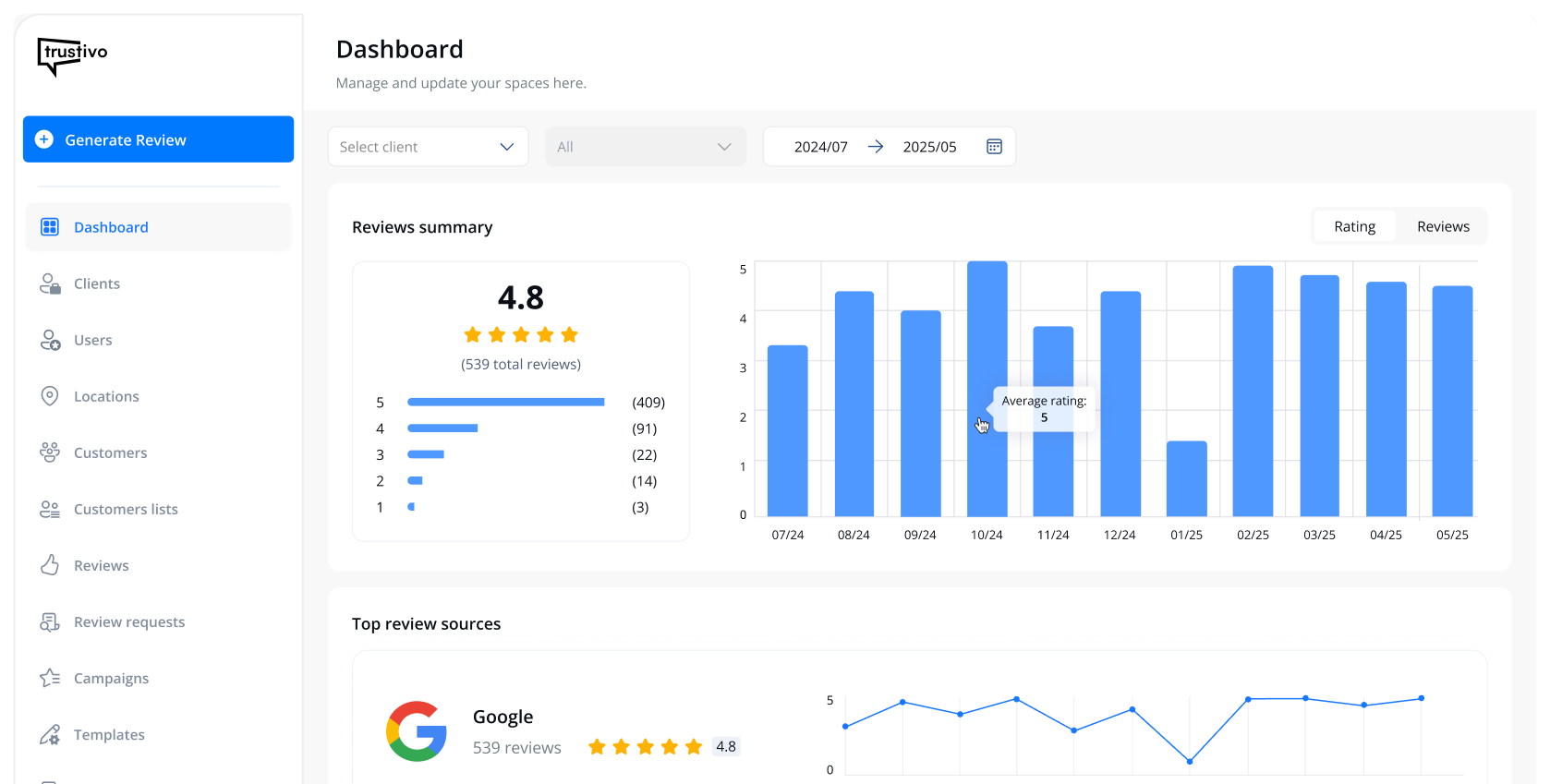
It’s a review tool that runs quietly in the background — sending review requests automatically (or individually if you’d prefer), following up if customers don’t respond and helping you keep track of your results over time.
And if you like asking in person?
You can pair the system with our review tap cards or review stands to still get reviews in person — then let Trustivo take care of everything else from there.
It’s the best of both worlds:
ask when it feels natural in person, and let the system handle the follow-up, reminders and tracking for you — so nothing slips through the cracks.
👉 Start your free trial today.