Scam Warning: Trustivo does not offer jobs via WhatsApp.
👉 Zillow is one of the most visited real estate websites in the U.S. — with over 190 million people browsing Zillow and its affiliates every month (and 41% of them actively looking to buy or sell, according to Forbes).
If your name shows up while they’re browsing, your reviews are one of the first things they’ll see.
But Zillow isn’t like Google or Facebook — it’s not always top of mind when you’re thinking about getting reviews.
That’s why so many great agents end up with Zillow profiles that look half-finished or only have a couple of reviews… even when their clients are happy and they are a top agent.
The good news? Figuring out how to get reviews on Zillow is easier than most people realise — once you know where your review link is, when to ask and what to say.
In this short guide, we’ll show you:
✅ How to get Zillow reviews
✅ How to get your personal Zillow review link
✅ When to ask for a review (and what moments to look out for)
✅ What to say when sending your review request
Let’s start with the basics — making sure your Zillow profile’s ready to get reviews.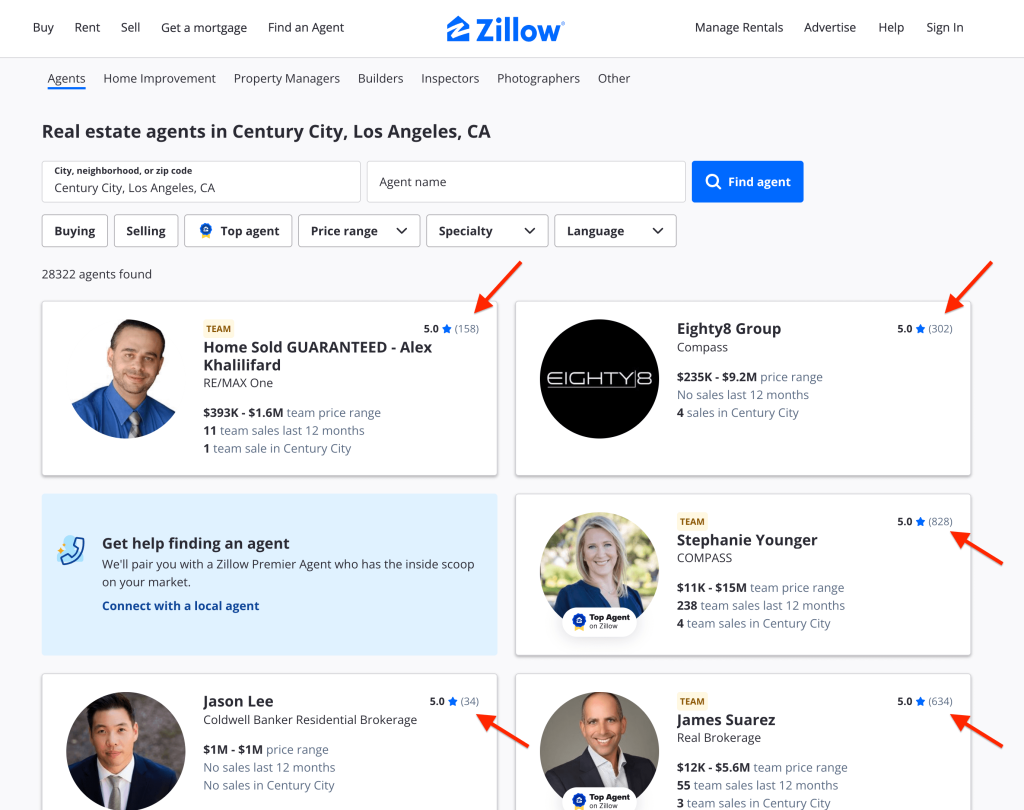
Step 1: Make sure your Zillow profile is set up
📌 To get reviews on Zillow, you’ll need an active Zillow agent profile (not just a regular Zillow account).
You don’t need to be a Premier Agent to collect reviews, but you do need a claimed Zillow agent profile, ideally with past sales connected to it.
✅ Already have a live agent profile or Premier Agent account?
You’re all set, skip to Step 2.
❌ Not sure if your profile’s set up correctly?
Here’s how to check:
- Log into Zillow and click your profile photo in the top right.
- Go to your profile or “Lender Hub”.
- Look for a “Reviews” section in the menu or dashboard. If you see the “Reviews” section, your profile is ready to get reviews.
⚠️ Can’t find the “Reviews” section on your profile?
You may still need to claim your agent profile or finish setting it up before reviews can be collected.
Zillow’s agent support page here walks you through how to get started.
Step 2: Find your Zillow review link
Once your profile is set up and ready, the next step is finding your unique review link — the one you’ll send to clients to ask for a review.
Here’s how to find it:
- Log in to your Zillow account
- Go to your “Lender Hub” or agent dashboard
- Click on the “Reviews” tab in the blue menu
- At the top, look for the “Request a review” section
- Click the “Copy link” button
🎉 That’s it — you now have a direct link that takes your client straight to your Zillow review form, with your name already filled in.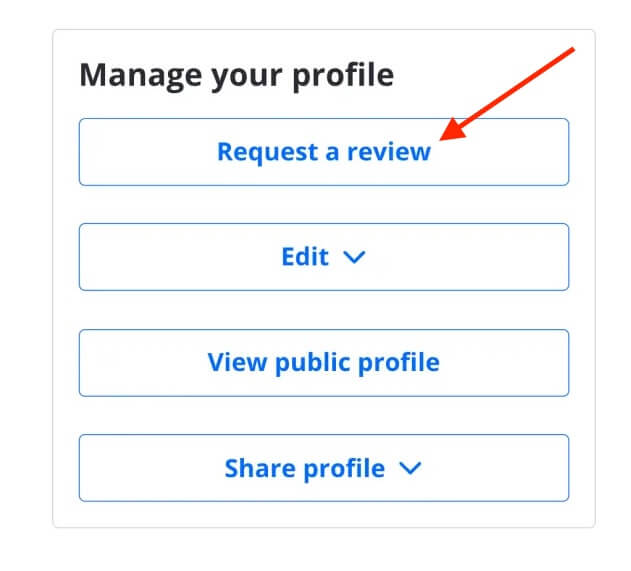
✏️ Tip:
Save your link somewhere easy to grab, like in your phone notes or in email templates, so you’re not digging around for it each time you want to ask a client for a review.
Step 3: Ask at the right time
The end of the process is usually the ideal time to ask for a review, but it’s not the only time.
📌 The best time to ask for a Zillow review is when your client’s had a clear win and the experience is still fresh.
That might be:
- After pre-approval or securing financing
- When their offer is accepted
- On closing day or move-in
- Or even right after a positive inspection or negotiation outcome
💡 If things are going well early on, you can also plant the seed by saying something like:
“If everything goes well and you’re happy with how it all turns out, I’ll send you a review link later to leave me a review on Zillow— so keep an eye out for it if you’re happy to leave me one.”
This sets the expectation in a natural way, without pressure.
⚠️ Important tip:
Always ask them to leave you a review — not the agency or the business as a whole.
Reviews on Zillow are tied to your personal agent profile, so it’s about their experience with you specifically.
People are also more inclined to leave a review when it’s for someone, not just a company or business.
Step 4: What to say when sending your review link
You’ve helped them through a big moment. You’ve got your link ready.
Now it’s just about sending the message to ask for the review.
📌 Most clients are happy to leave a review, but only if it’s easy, and they know you genuinely want one.
Keep it casual and personal. You don’t need to over-explain, most people will understand what to do once they see the link.
Here’s what to include in your message:
- A quick thank you
- A short sentence about how much the review would help
- Your Zillow review link
💬 Example message (email or SMS):
“Hi [First name], just a quick note to say thanks again! It was such a pleasure helping you buy your new place!
If you’ve got a minute, I’d really appreciate if you could leave me a quick review on Zillow. It helps me out a lot!
[paste review link]
Thanks again.”
Want an easier way to get more Zillow reviews?
👉 Asking everyone yourself for a review can work — but it’s not always easy to track, follow up if they forget or stay consistent with over time.
That’s where Trustivo helps.
It’s a simple, set-and-forget review collection tool that:
- Sends review requests automatically to your clients after each sale
- Follows up if they don’t respond (so no-one slips through the crack)
- Lets you send requests individually if you’d prefer to be selective
- Gives unhappy clients the option to share private feedback with you first
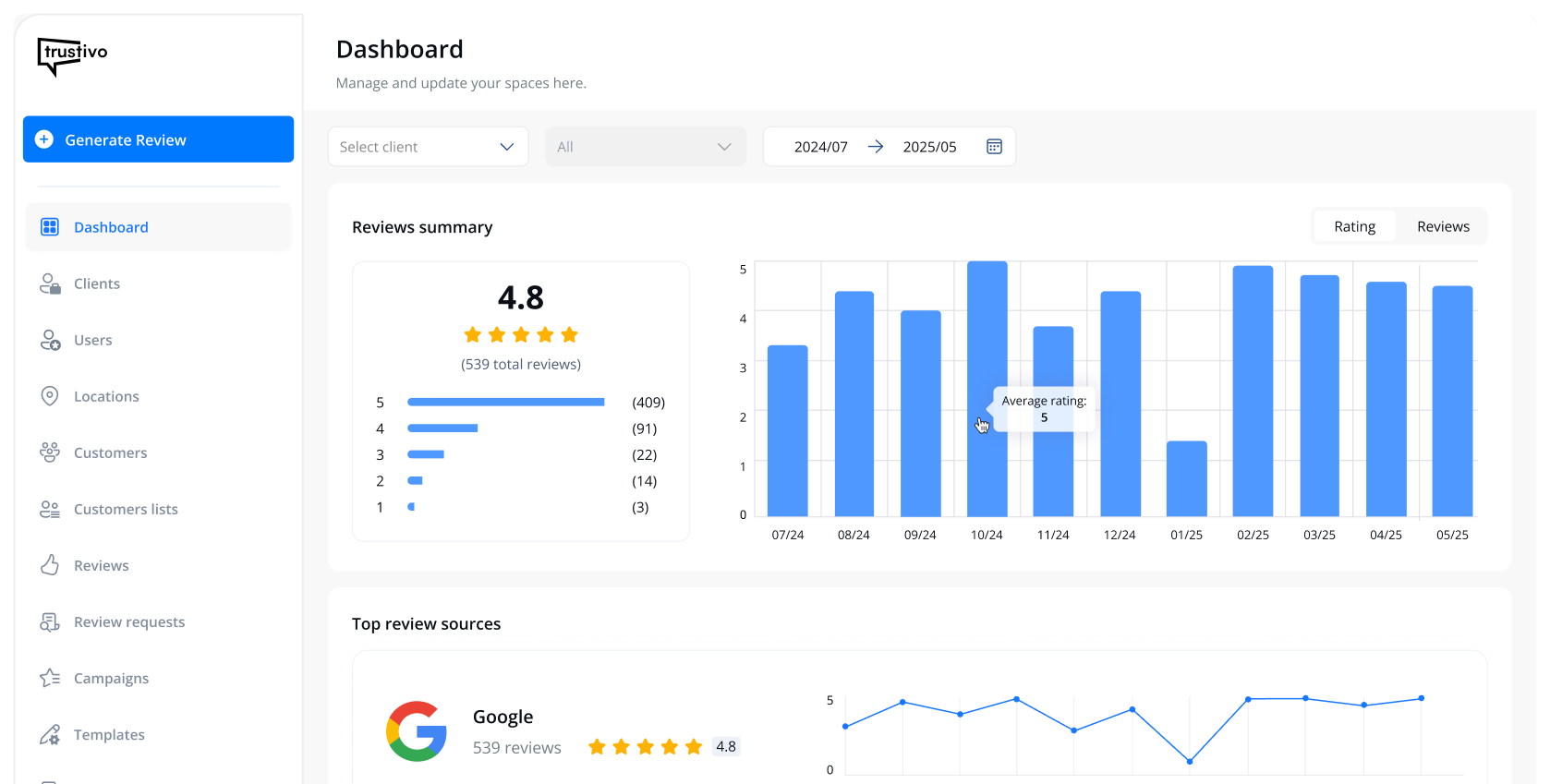
- Tracks your reviews across Zillow and 70+ other platforms — all in one dashboard
It works seamlessly with Google, Facebook, Yelp and other major review sites — and runs quietly in the background, so you can stay focused on what you do best.
👉 Start your 30 day free trial today

FAQs about Zillow reviews
Can clients leave a Zillow review without creating an account?
No, they’ll need to create or sign into a Zillow account before submitting a review.
This helps Zillow confirm the reviewer is a real person who’s interacted with you as an agent.
Their name and email won’t be shown publicly on your profile.
Can I get reviews from clients who didn’t buy or sell through me?
Yes. Zillow accepts reviews from anyone who worked with you during their property journey, even if it didn’t lead to a purchase or sale.
That includes buyers who didn’t end up buying, sellers who listed but didn’t sell, or clients you supported at any stage of the process.
What if a client says they don’t use Zillow?
That’s okay. Not everyone will want to leave a review on Zillow.
But with Trustivo, you can give your clients the option to choose where they leave a review — whether that’s Zillow, Google, Facebook or another platform.
You can keep it simple by sending them straight to Zillow, or give them the option to choose the platform that suits them best.
Can I edit or delete a review on my profile?
No, you can’t edit or delete reviews from other people.
But if a review clearly breaks Zillow’s rules (like fake reviews, spam or harassment), you can flag/report it through your dashboard and request a review from Zillow’s team.