👉 Maybe you left a Google review too quickly, your experience changed, or you simply want to take the review down.
Whatever the reason, removing a Google review you’ve written is actually easy — once you know where to look.
If you’ve been searching “How to remove a Google review I wrote?”, this guide walks you through it step by step — so you can remove your review quickly and easily.
We’ve also answered these common questions in the FAQ at the end.
✅ Why was my Google review removed?
✅ Will the business be notified if I delete my review?
✅ Can I delete a Google review from a different account?
Let’s start with the desktop way.
How to remove a review using desktop 🖥️
If you’re using a laptop or desktop computer, here’s how to find and delete the review you posted.
- Go to Google Maps.

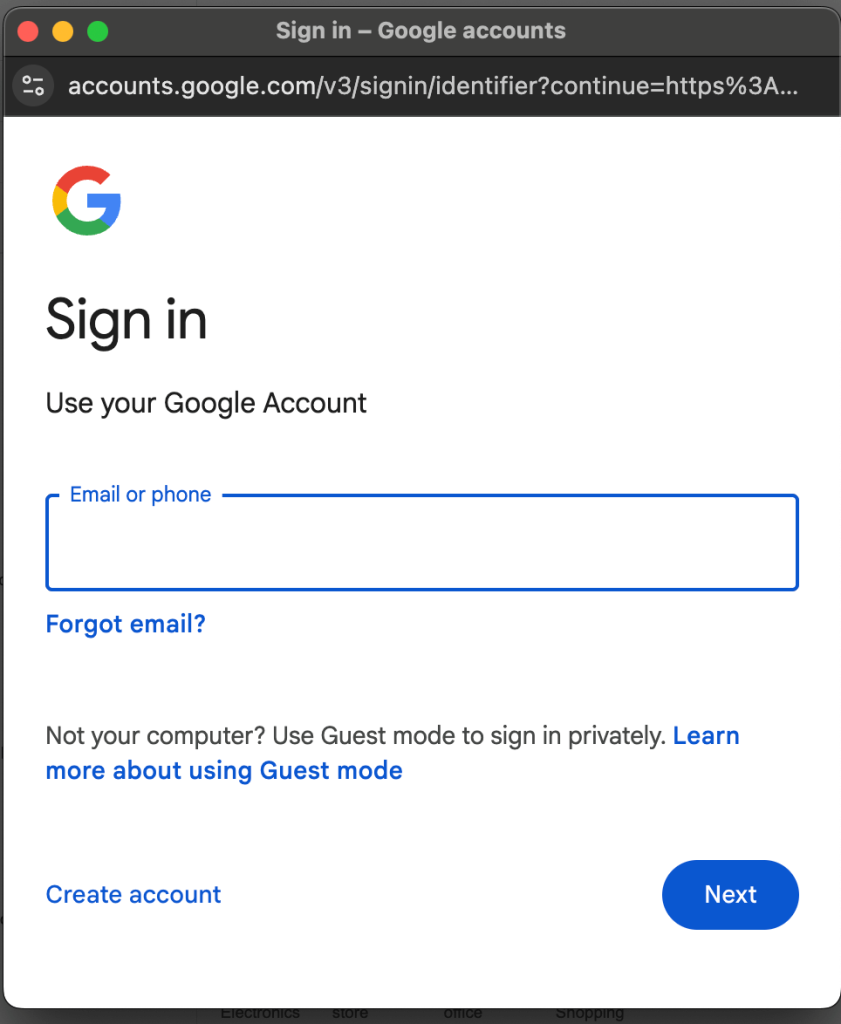
- Make sure you’re signed in to your Google account (if you’re not already).

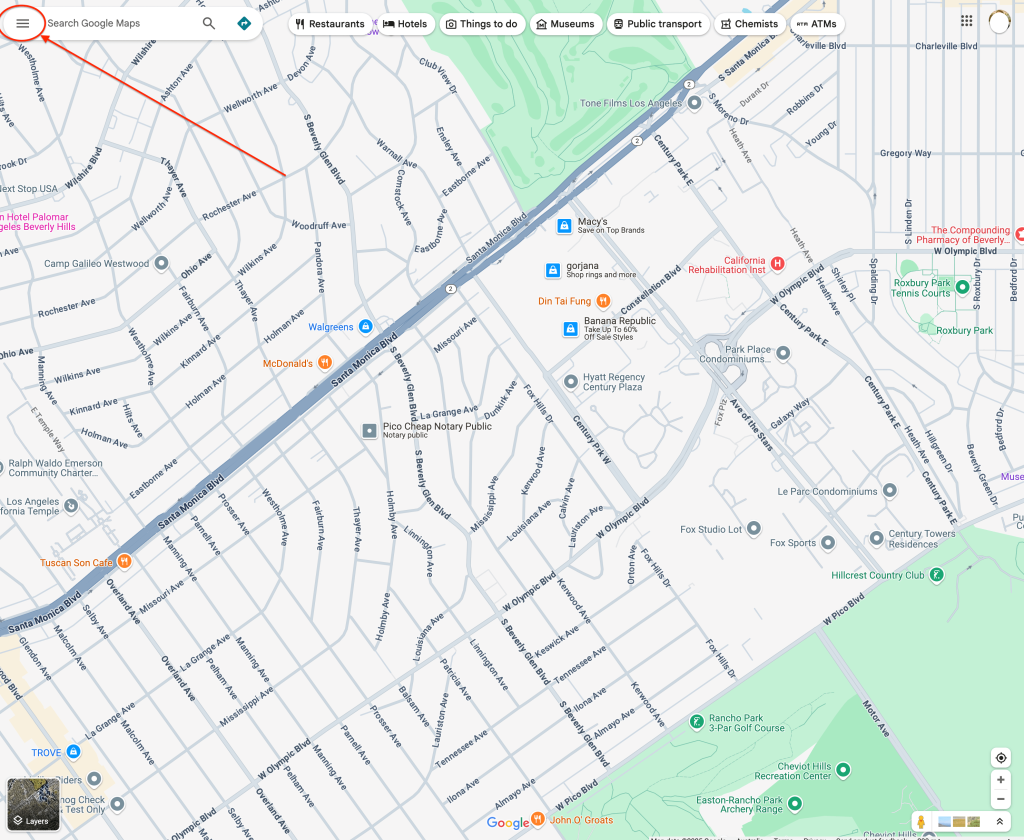
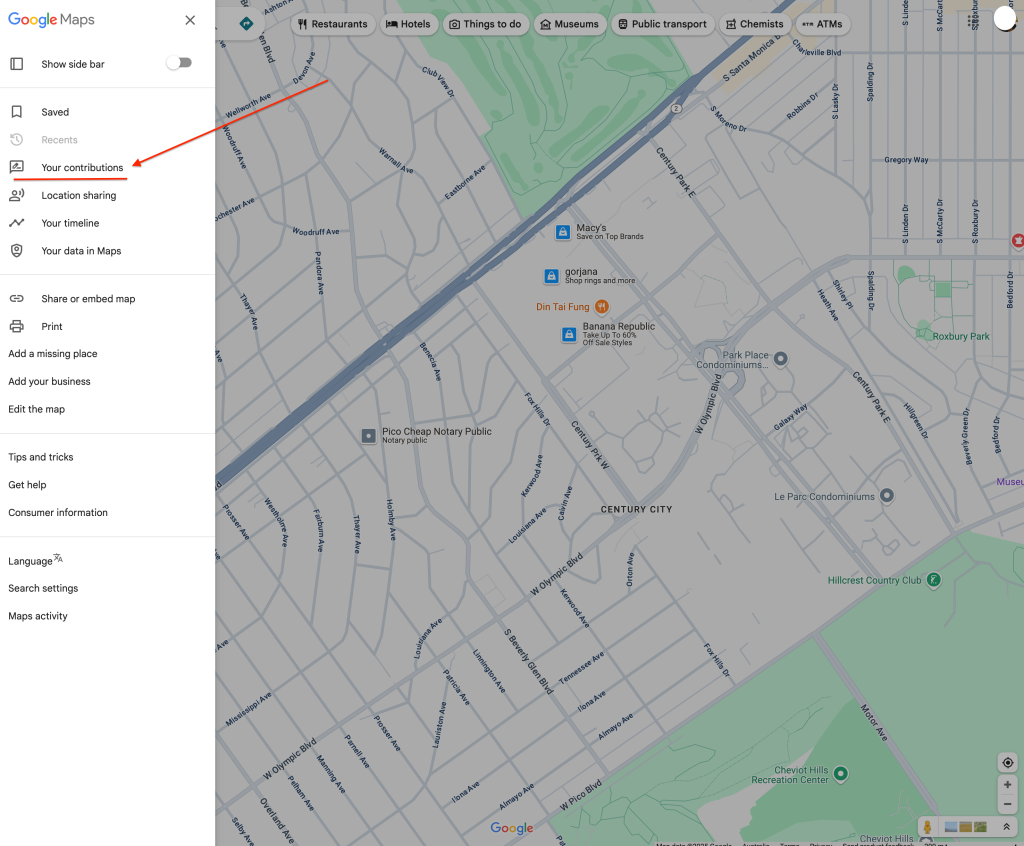
- Click the menu icon (☰) in the top-left corner.

- Select “Your contributions”.

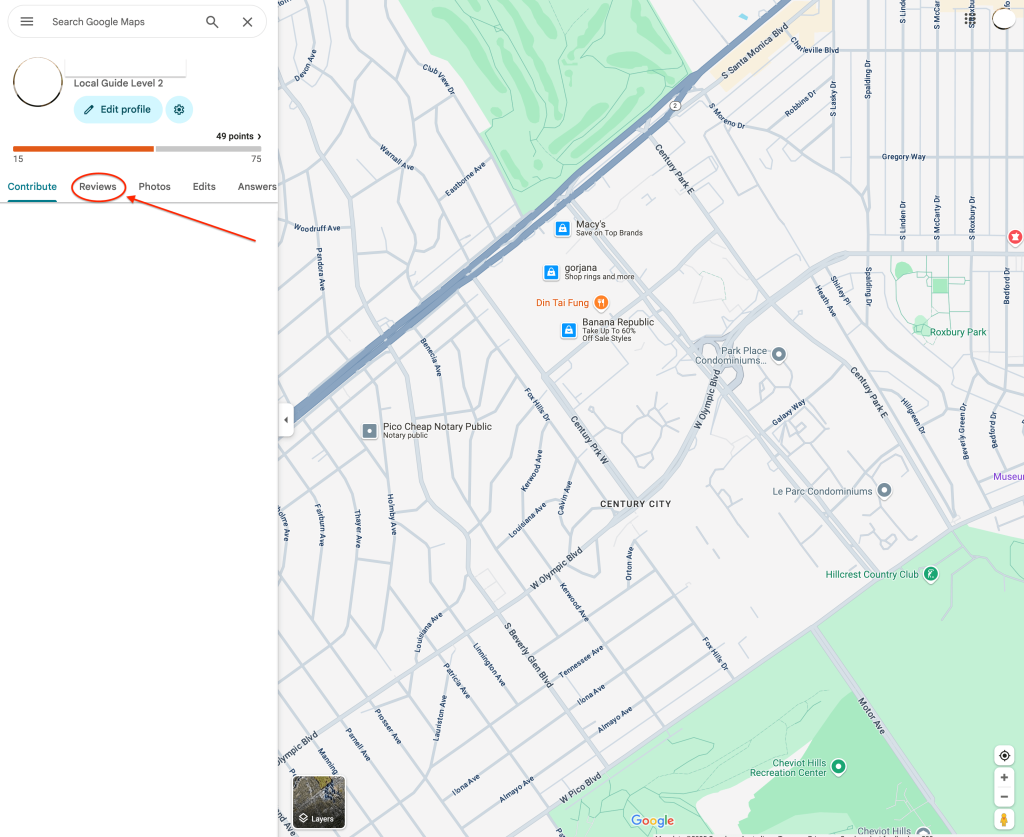
- Then click the “Reviews” tab.

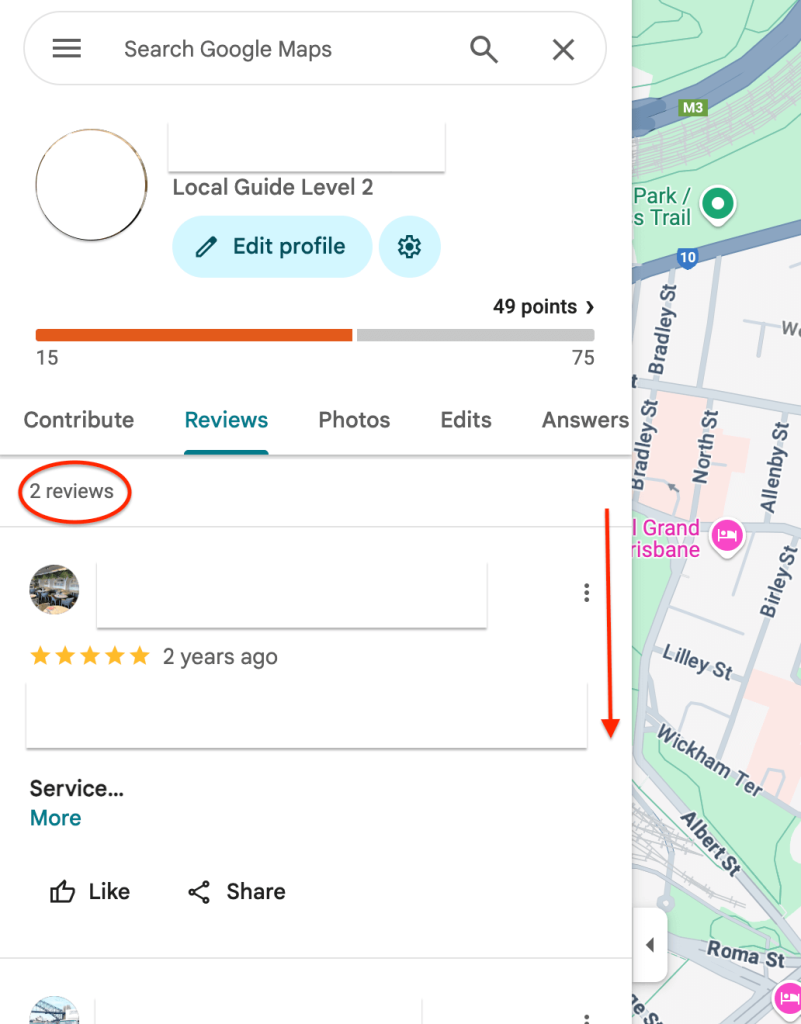
- Scroll through your reviews and find the one you want to remove.

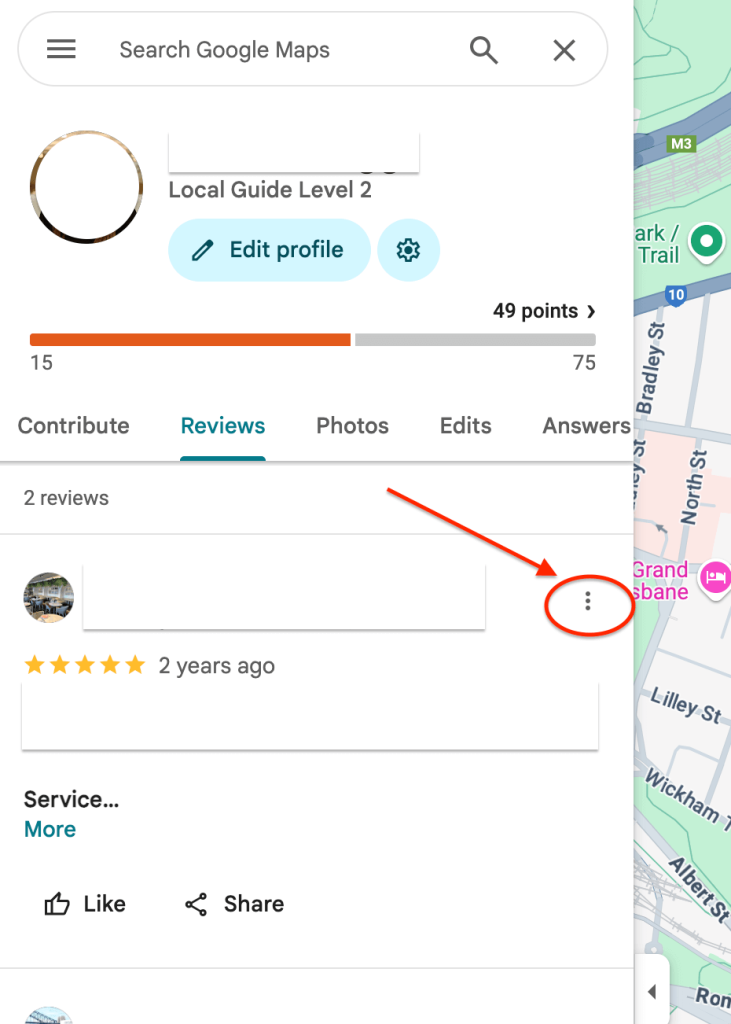
- Click the three dots (⋮) next to that review.

- Choose “Delete review” from the dropdown.

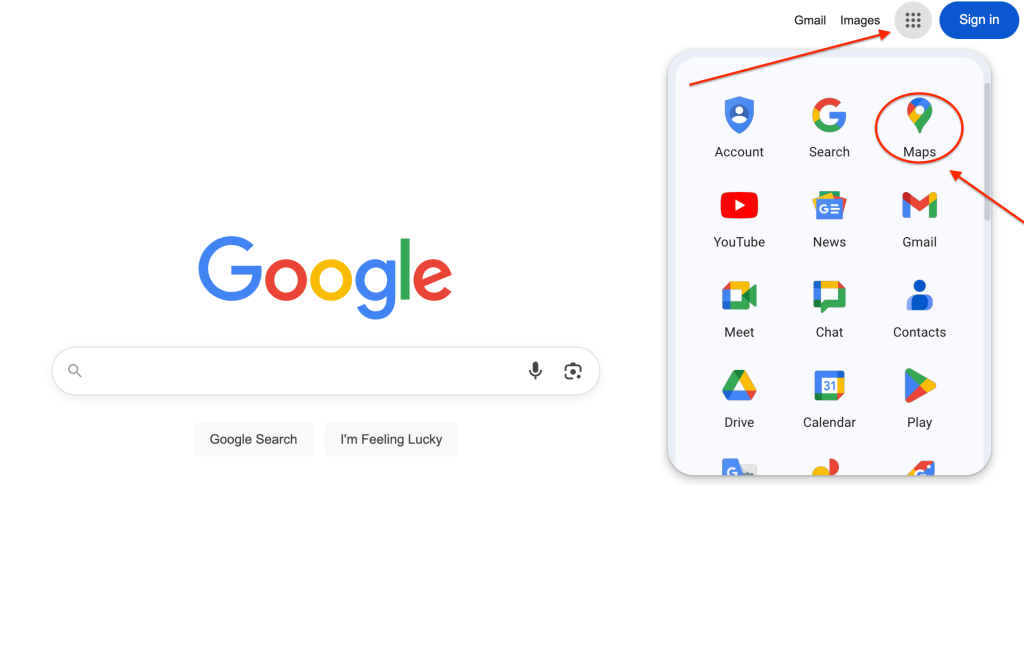
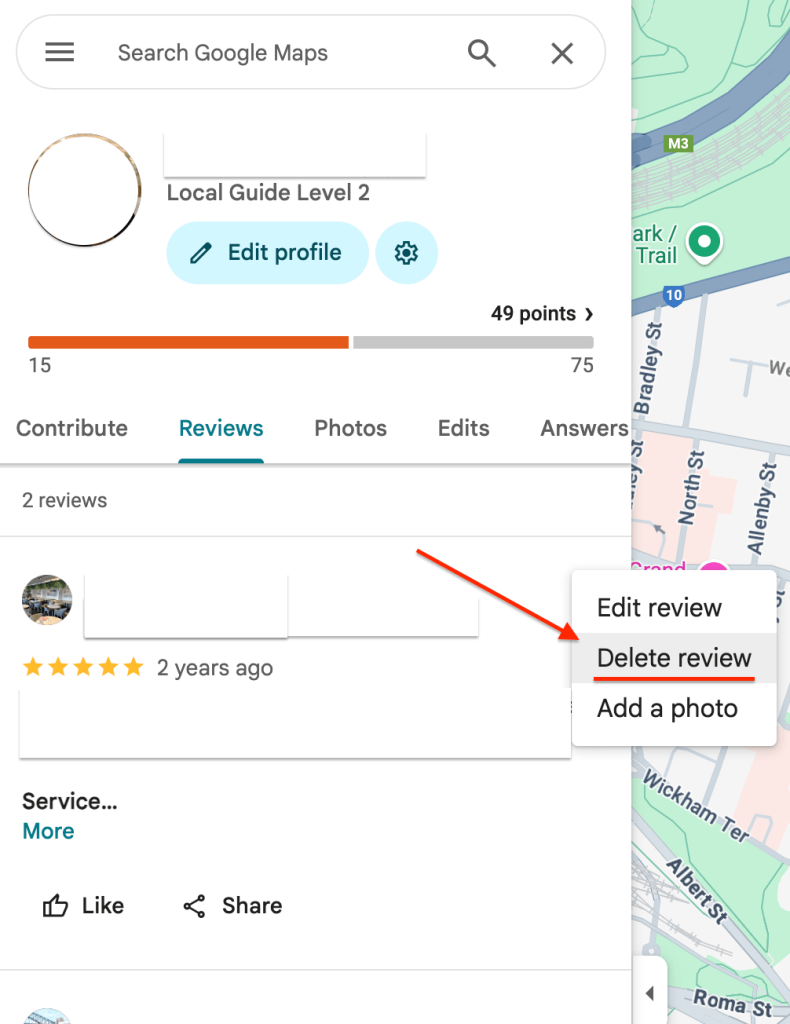
✏️ Tip:
If you don’t see the review you’re looking for, double-check that you’re signed into the same account you used to post it.
How to remove a review using your phone 📲
Here’s how to find and remove a review you’ve written, using the Google Maps app on your phone.
-
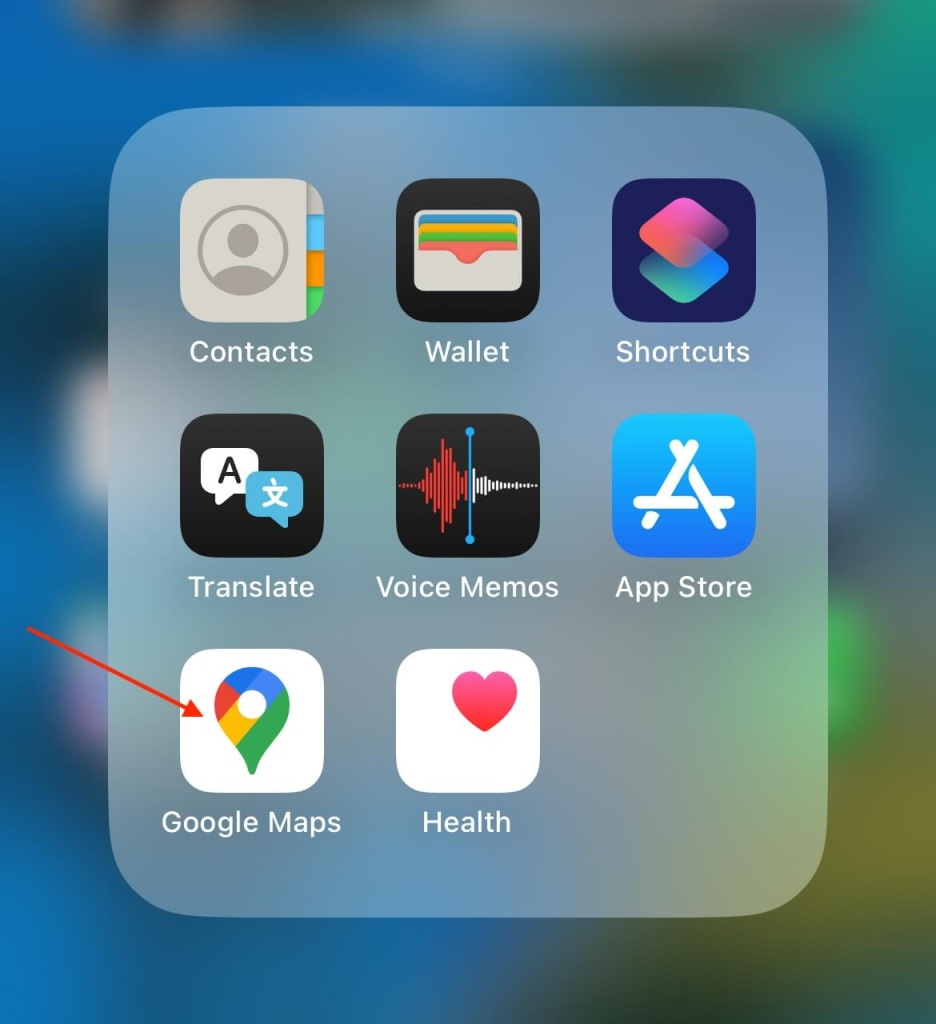
Open the Google Maps app.

-
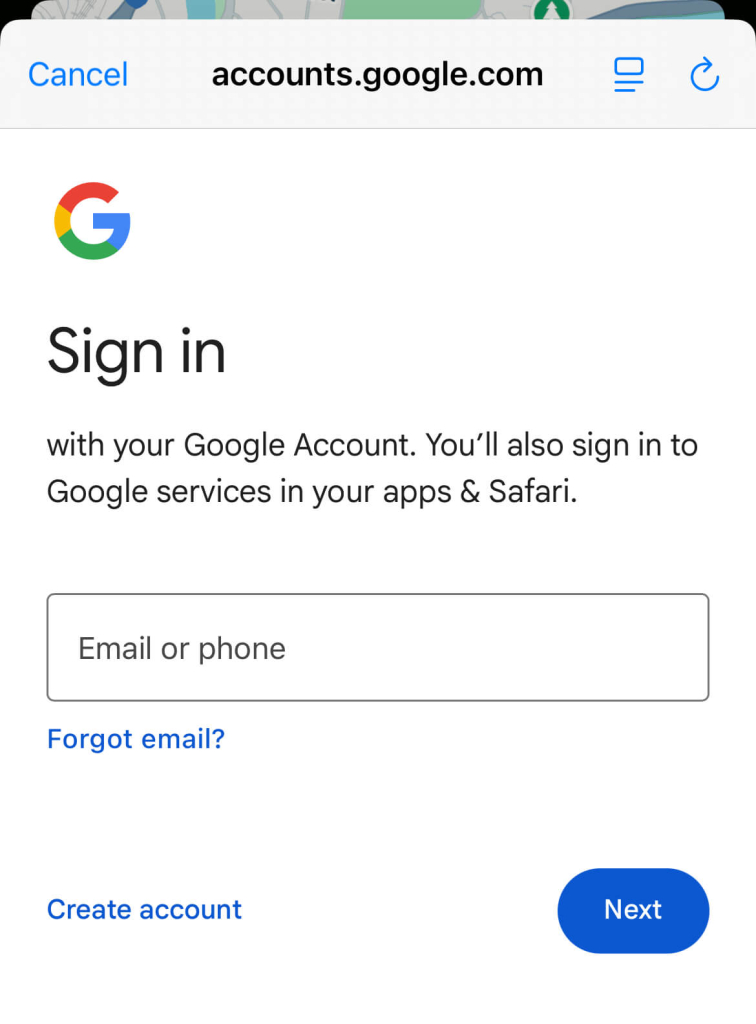
Make sure you’re signed in to the Google account that posted the review.

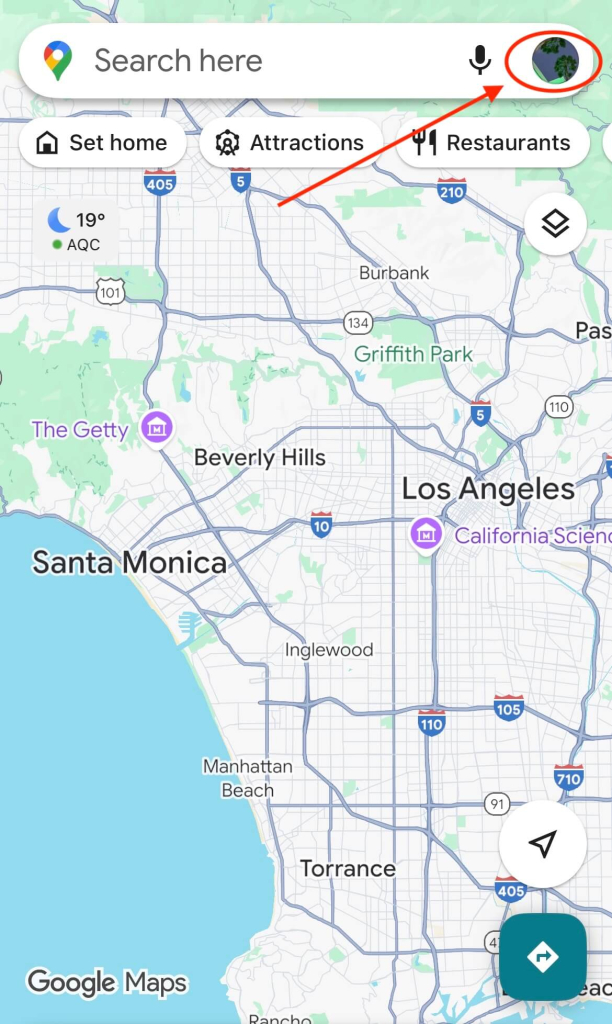
- Tap your profile picture in the top-right corner.

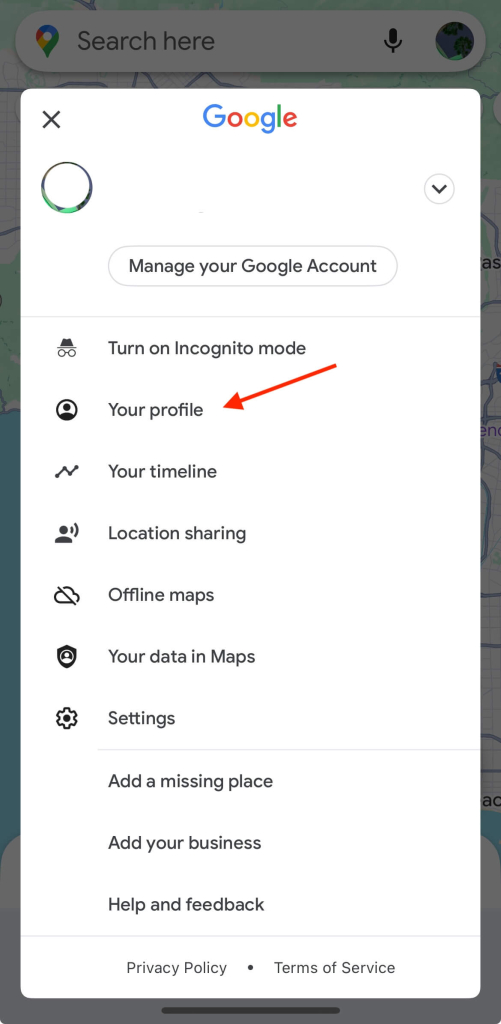
- Tap “Your profile” to view your Google contributions.

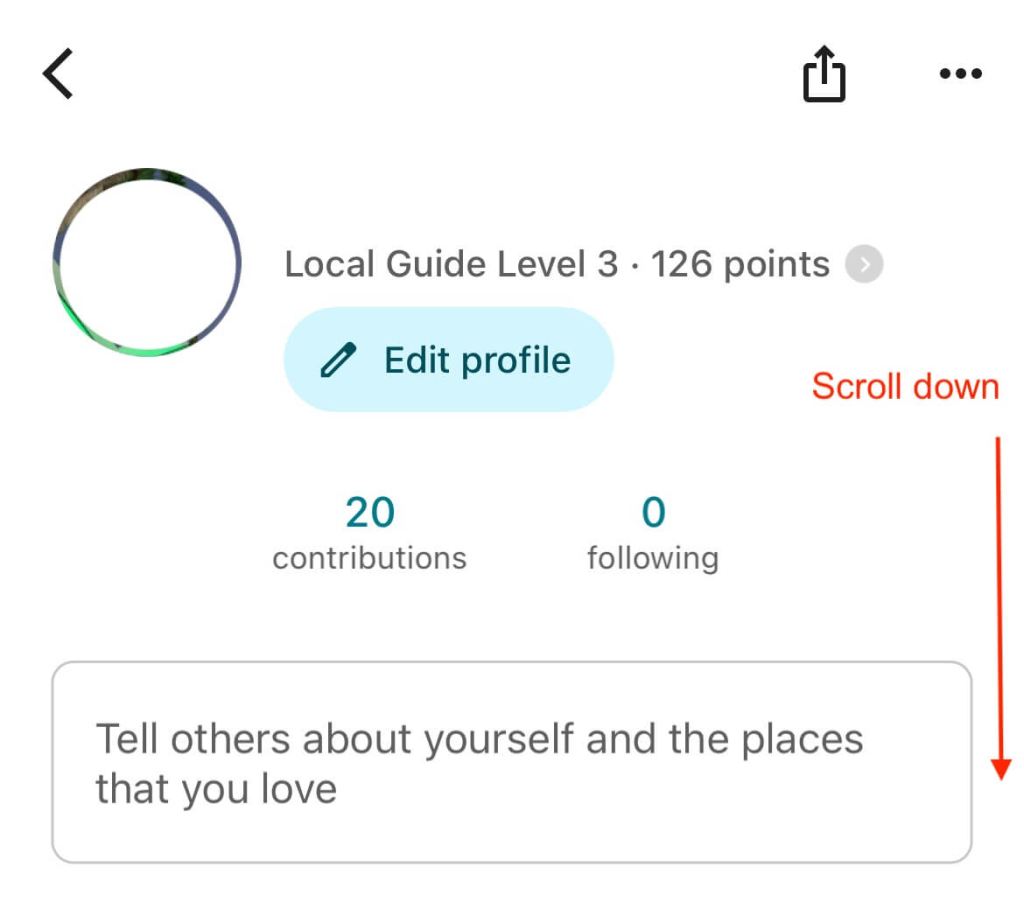
- Scroll down to the “Reviews” section — this is where all your past reviews are listed, with the most recent at the top.

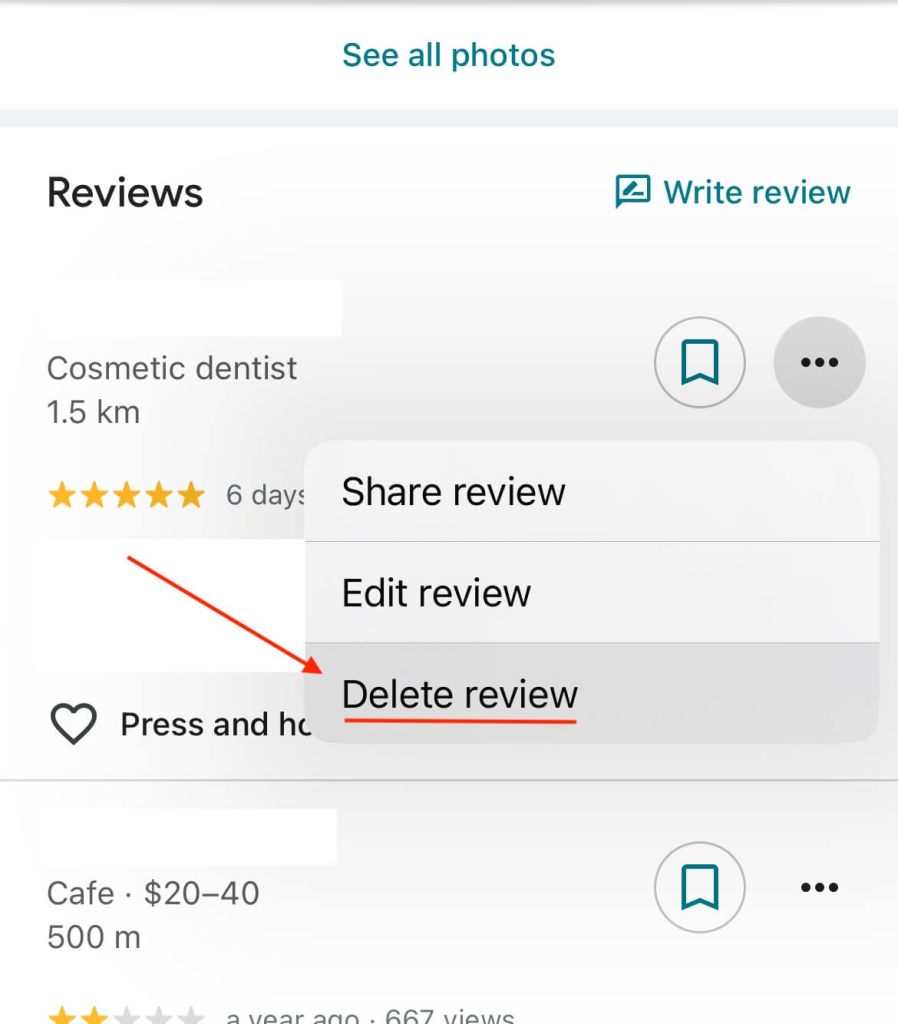
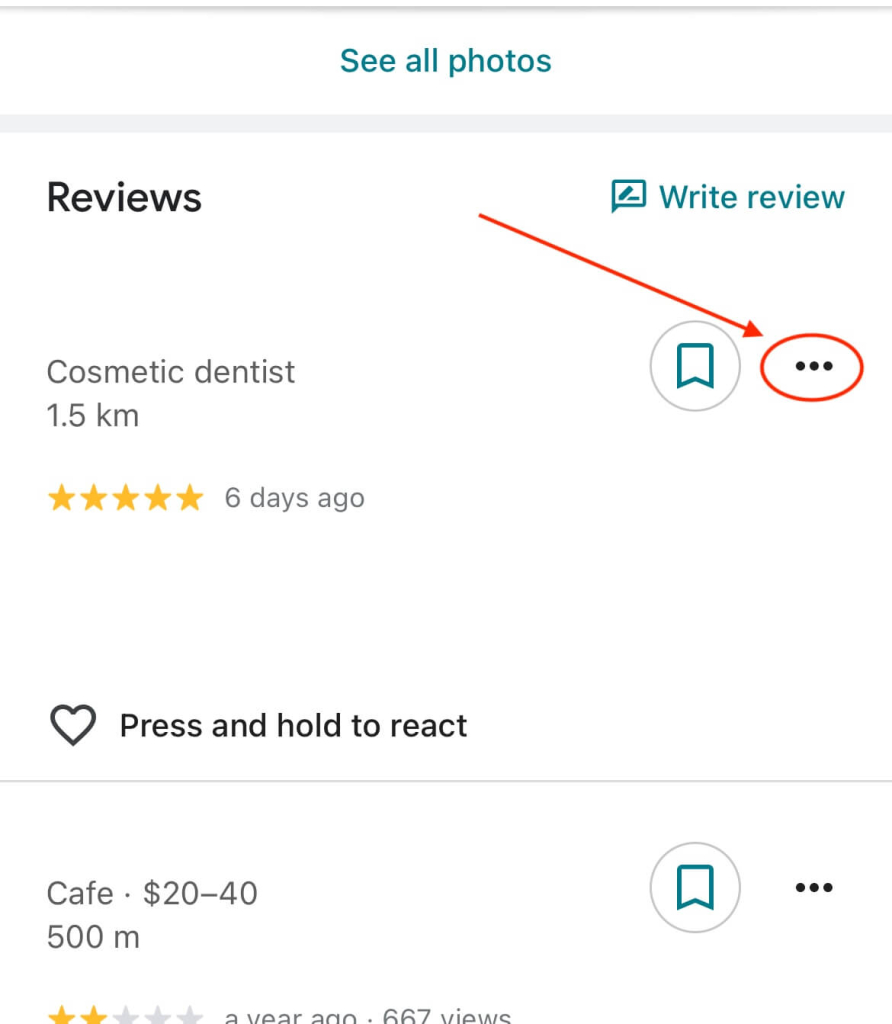
- Tap the three dots (⋮) on the right side of the review you want to remove.

- Choose “Delete review” option.
⚠️ Don’t have the Google Maps app?
You can also remove a review using your mobile browser (like Safari or Chrome).
👉 Just follow the same steps listed earlier for desktop — they work the same on mobile too.
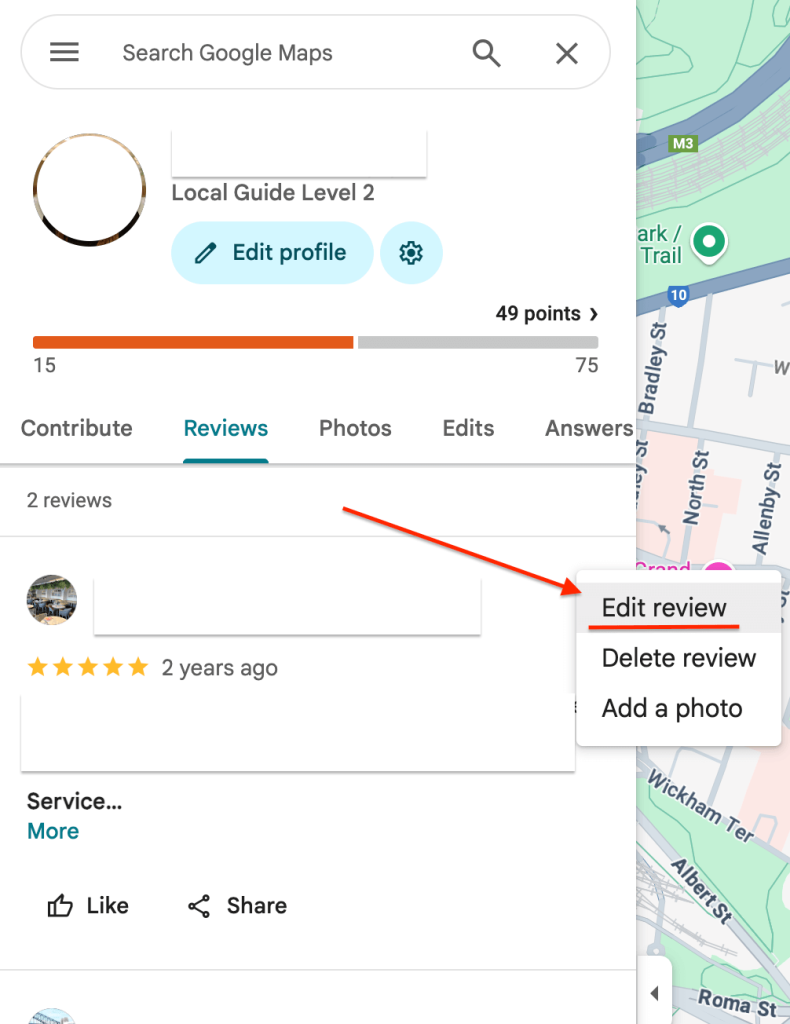
✏️ Want to update your review instead?
If you just want to change what your review says (maybe adjust your rating or correct something), you don’t need to delete it completely.
👉 To edit your review, just follow the same steps you used to find the review, but then choose “Edit review” instead of “Delete review” at the last step.
You’ll be able to rewrite your feedback and save the changes straight away.
What happens after you delete a review?
Once you delete your review from Google, it disappears straight away from your profile and from public search results.
There’s no way to recover it — so if you change your mind later, you’ll need to write a brand new review from scratch.
Once you’ve followed these steps, your review will be removed instantly — no extra action is needed. ✅
Frequently asked questions
Why was my Google review removed?
Sometimes reviews are taken down by Google — even if you didn’t delete them.
This usually happens when a review violates their content policies (like including swearing, private info, spammy behaviour or unrelated content), or gets flagged by their automated filters.
Reviews can also disappear if the business profile was recently reinstated or merged, or due to rare technical issues.
👉 Read more about Google’s review content restrictions here.
Will the business be notified if I delete my review?
No — businesses don’t get a notification when a review is edited or removed.
However, if they check their profile regularly, they may notice the review is no longer there.
Can I delete a Google review from a different account?
No — you can only delete reviews that were posted from your account that you’re currently signed into.
If you used a different Google account, you’ll need to log into that one to remove the review.