Scam Warning: Trustivo does not offer jobs via WhatsApp.
👉 Want to get Yelp reviews for your business, but not sure where to start?
Maybe you haven’t claimed your Yelp page yet.
Maybe you’ve set it up, but haven’t received any reviews.
Or maybe you’ve got a few Yelp reviews, but haven’t been able to get many more.
Wherever you’re at, you’re not alone.
Getting Yelp reviews doesn’t come naturally for most businesses. And if your profile isn’t active or well-reviewed, customers will usually keep looking.
And that’s a big deal — because Yelp sees more than 28 million unique visitors every month (Yelp). That’s a huge audience of people searching for businesses like yours — and strong Yelp reviews are often what get you chosen.
So whether you’re learning how to get Yelp reviews for the first time, or trying to figure out how to get more Yelp reviews over time — this guide will walk you through what works (and what doesn’t).
Let’s start with the basics.

Step 1: Create or claim your Yelp Business Page
Before you can get reviews, your business needs an official Yelp page — and it needs to be claimed and verified so you can manage it.
✅ Already have your Yelp page?
You’re all set and can skip ahead to Step 2.
❌ Not sure if you have one yet?
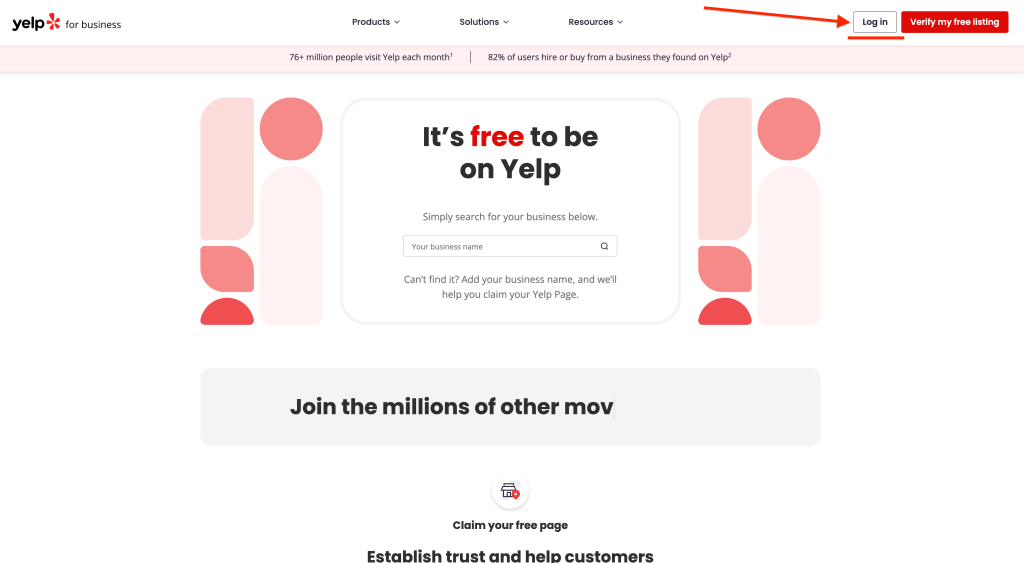
Do a quick search to check — your business might already be listed on Yelp without you realising. Here’s how to find out:
How to find or create your business on Yelp
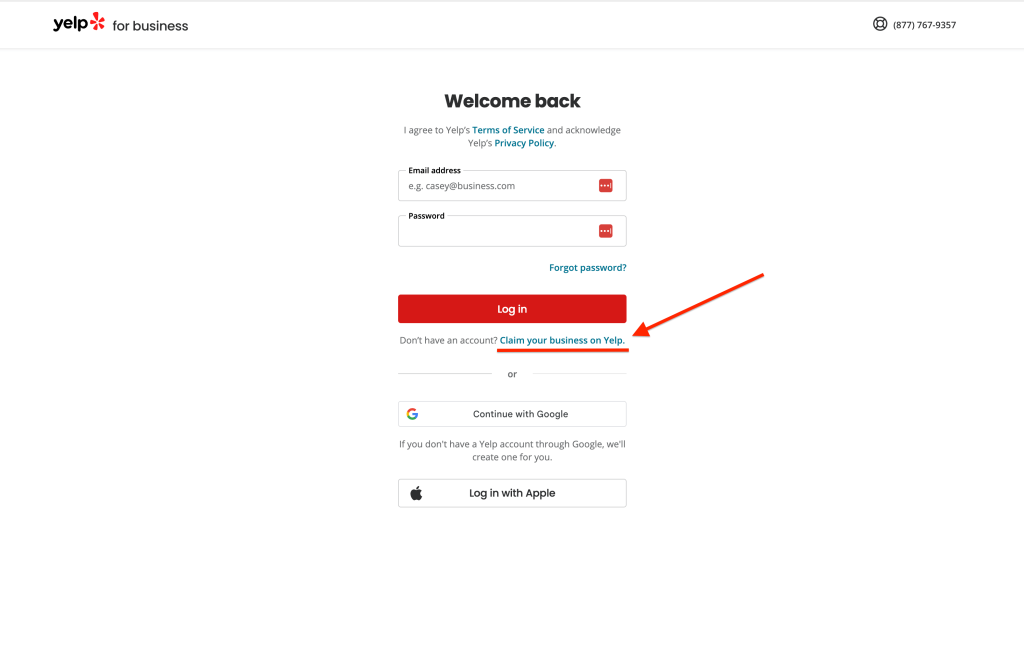
- Go to business.yelp.com. Log in to your business Yelp account (if you haven’t already).
 ⚠️ If you don’t have a business Yelp account yet click the “Claim your business on Yelp” link on the login page.You’ll be guided through a few quick steps to set up a new business account — a business account is required before you can create or claim a business page.

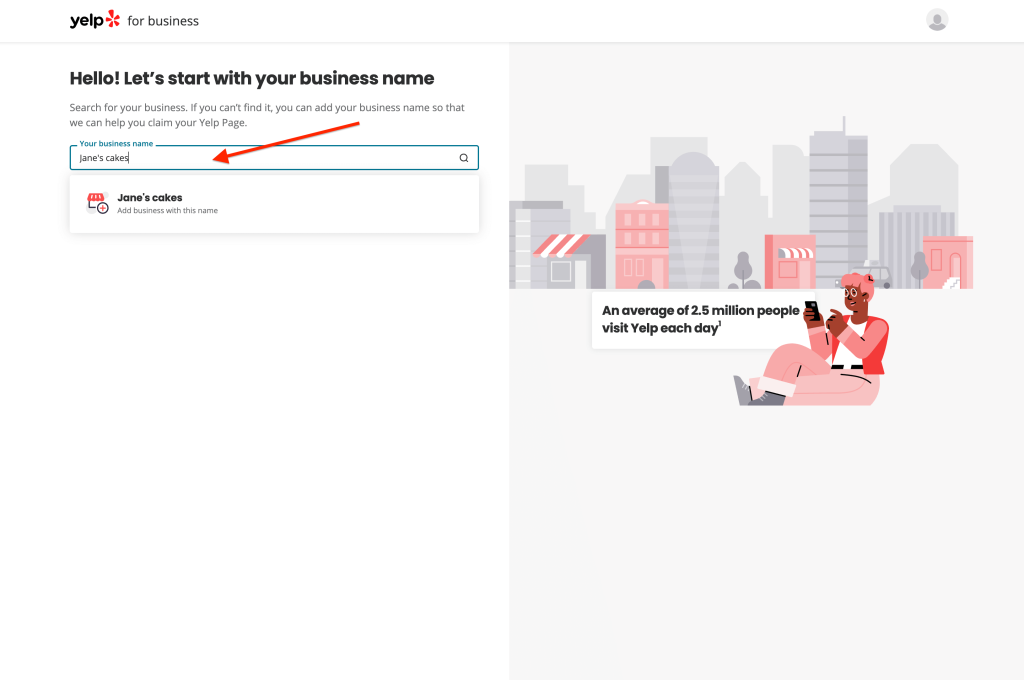
- Once signed in, search for your business name.
✅ If your business appears, click it and follow the prompts to verify ownership of the listing.❌ If your business doesn’t appear, click “Add business with this name” and follow the steps to create a new page.
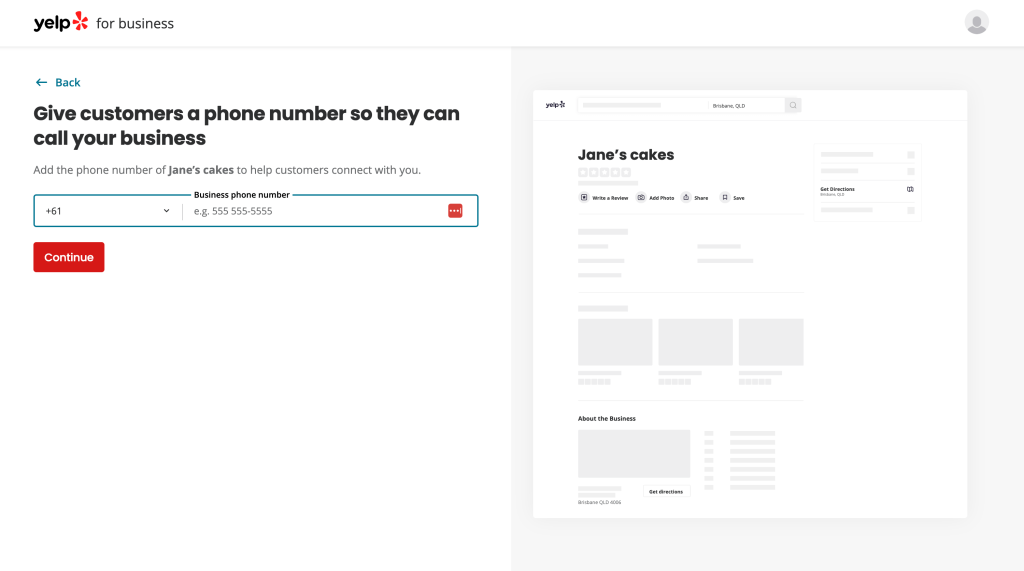
- Check (or enter) your business info.
– If you’re claiming an existing page, the details will already be filled in — but check them and update after verification if needed.
– If you’re creating a listing, Yelp will ask for your business name, category, address, phone number, website, hours and photos.

- Yelp will ask you to verify your connection to the business.
This is usually done by phone, email or document upload. Once that’s approved, your page will go live and be ready to collect reviews.
Step 2: Share your Yelp review link
👉 Once your Yelp page is live, you’ll want to make it as easy as possible for customers to leave a review.
That starts with your direct Yelp review link.
How to find your Yelp review link:
- Go to your public-facing Yelp Business Page (not the dashboard).
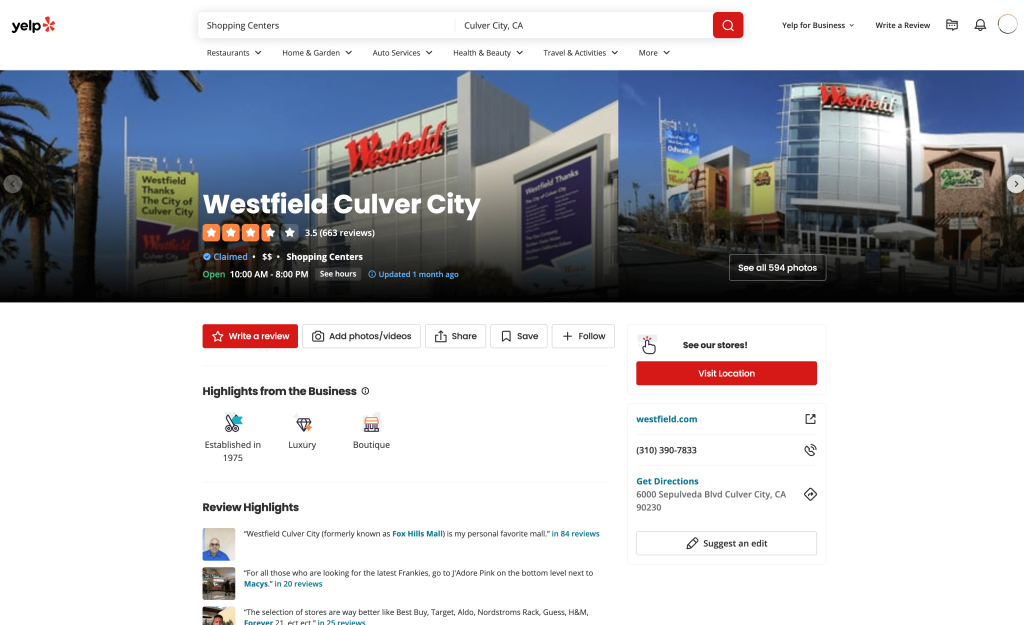
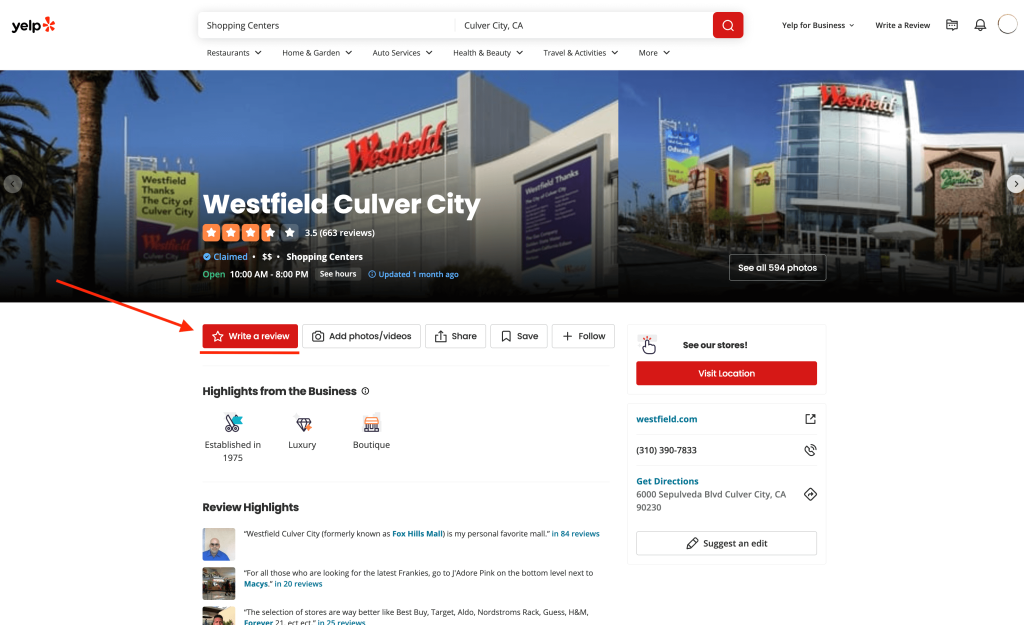
- Click the red “Write a review” button.

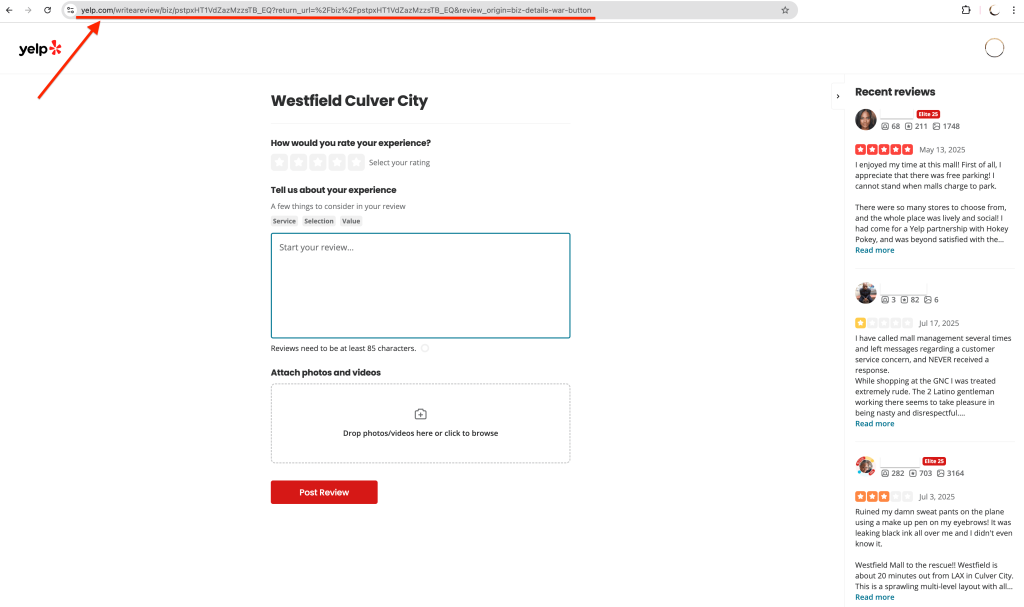
- Copy the URL from your browser’s address bar — that’s your direct review link.

✏️ Tip:
Want to make your Yelp review link shorter? Use a tool like Bit.ly to shorten the link before sending or using it.
Ways to use your Yelp review link:
- SMS or email
- Your email signature or booking follow-ups
- Printed cards, signs or receipts
📌 Make sure your review link goes directly to your review form, not just your page, so it’s easy for customers to follow through and leave you a Yelp review.


Step 3: Ask at the right time
📌 The timing of asking for a review can make all the difference.
You’ll get better responses when the experience is still fresh, or once the customer’s had time to see the results and feel the value of your product/service.
Good moments to ask for a Yelp review:
✅ Right after a job is completed
✅ After a customer says something nice or gives positive feedback
✅ When an order has just been delivered or picked up
✅ During follow-up messages (if things have gone well)
✅ After results have kicked in or progress has become clear
You don’t need to overthink the message. A quick, casual and personal line is often enough.
💡 If the ask feels natural and like it’s just been personally sent to the customer, they’re more likely to leave a review.
Keep the ask about leaving you a review, not just leaving “the business” a review. People are more likely to help when it feels like a personal favor for you, not just an ask from the business.
Something like:
“Hey [Name], thanks again for coming in — if you’re happy with how everything went, would you mind leaving me a quick Yelp review? It really helps me out.”
Step 4: Build a repeatable system
👉 Asking here and there is a good start. But to get more Yelp reviews consistently, you need to have a system in place.
That might look like:
- Sending a request right after each sale, booking or job
- Including your Yelp link in your standard follow-up messages
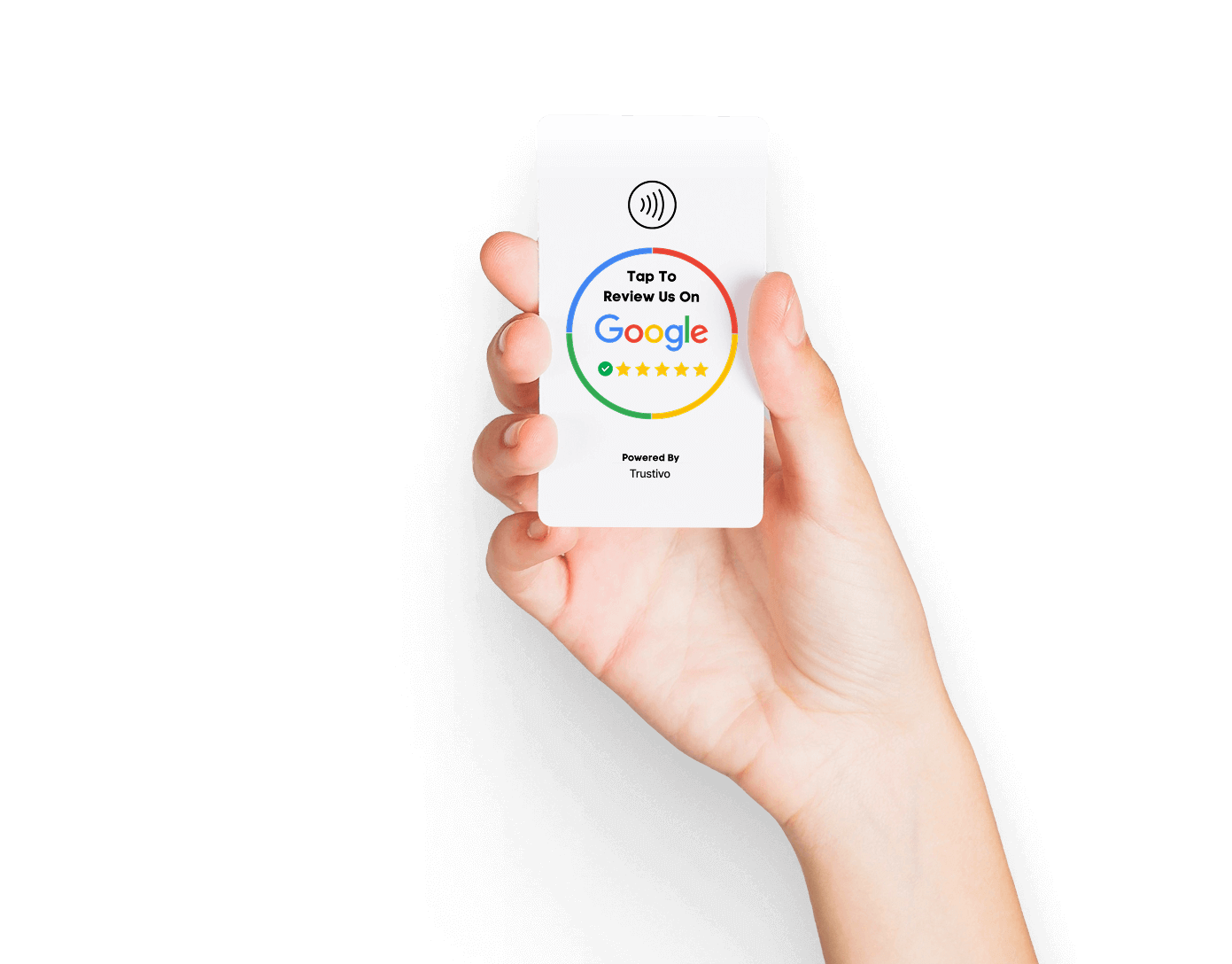
- Having tap cards or review stands visible at checkout/reception
- Setting a weekly reminder to send a few requests manually
You don’t need to go overboard — just choose one or two points in your customer journey where asking for a review feels natural, and make it part of your process.
Want to take it off your plate entirely?
⭐️ That’s where a review management tool like Trustivo comes in.
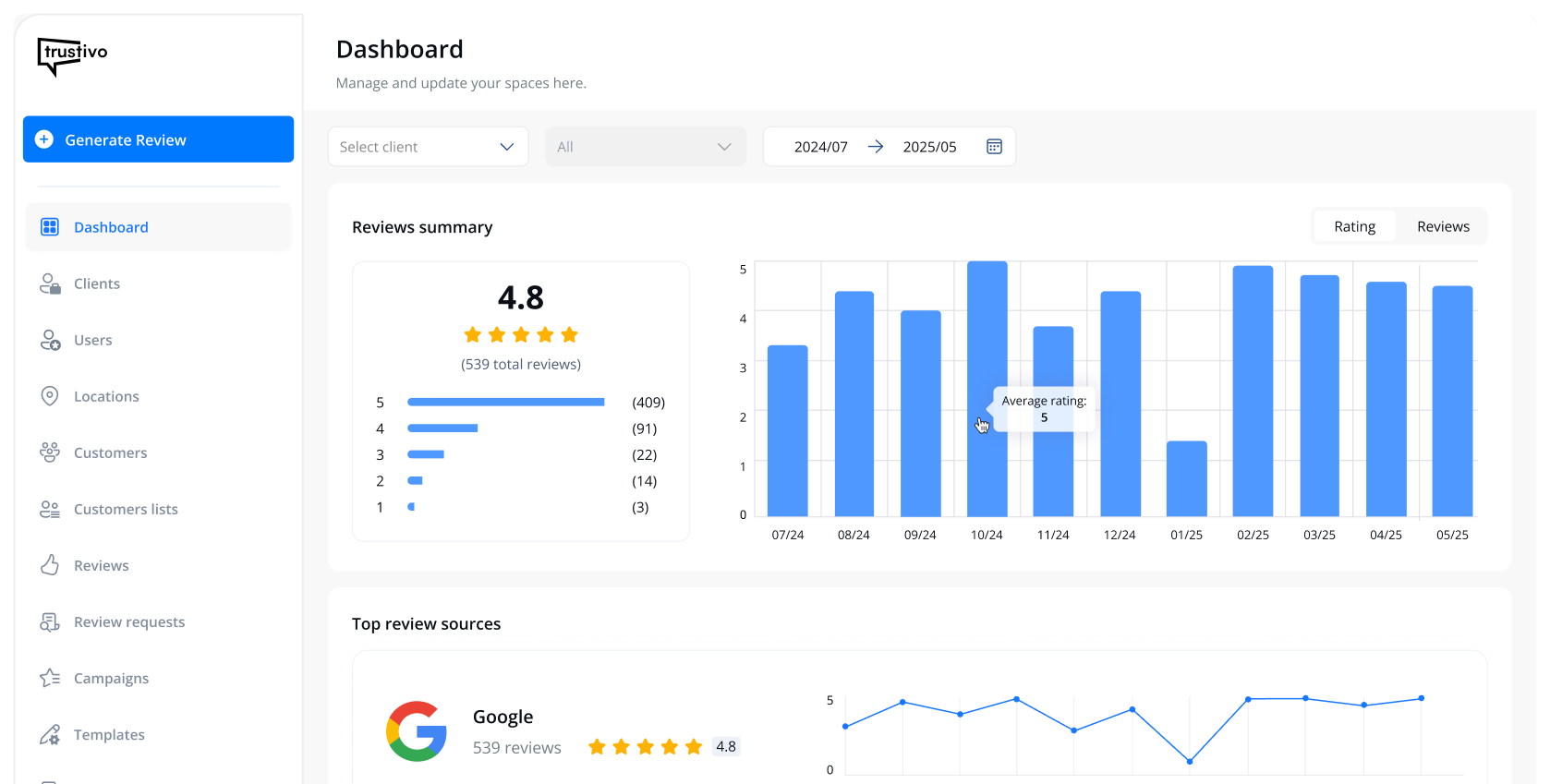
It automatically sends out review requests for you, follows up if customers don’t respond, and tracks everything in one simple dashboard, so you’re not constantly chasing people or wondering what’s working.
You can set it up to send requests to every customer automatically, or you can choose to send them one-by-one to certain customers if you’d prefer.
Even when sent individually, Trustivo still handles the follow-ups and keeps track of everything for you.
The result with Trustivo?
= More Yelp reviews (consistently), a stronger Yelp profile and a reputation that actually brings in more sales — with very little effort from you.