Scam Warning: Trustivo does not offer jobs via WhatsApp.
Want to leave a review on TripAdvisor but not sure where to start?
Whether you’ve had an amazing trip, a disappointing dinner or something in between — sharing your experience can help thousands of people make better decisions.
TripAdvisor is still one of the most trusted review platforms for hotels, restaurants and attractions — with over 1 billion reviews across 8 million businesses worldwide (TripAdvisor)
👉 A single helpful TripAdvisor review can make someone’s trip smoother, and help great businesses get the recognition they deserve.
In this quick guide, we’ll show you:
✅ Exactly how to write a review on TripAdvisor (step-by-step)
✅ What to say in your review to make it helpful (without overthinking it)
✅ How to edit a review on TripAdvisor
✅ How to remove a review on TripAdvisor (if needed)
Let’s start with how to post it.
How to write a review on TripAdvisor
Leaving a review only takes a couple of minutes once you know where to go. Here’s the easiest way to do it.
Step 1: Search for the business or place
Go to tripadvisor.com and log in to your TripAdvisor account. If you don’t have a TripAdvisor account, you will to need to create one to leave a review.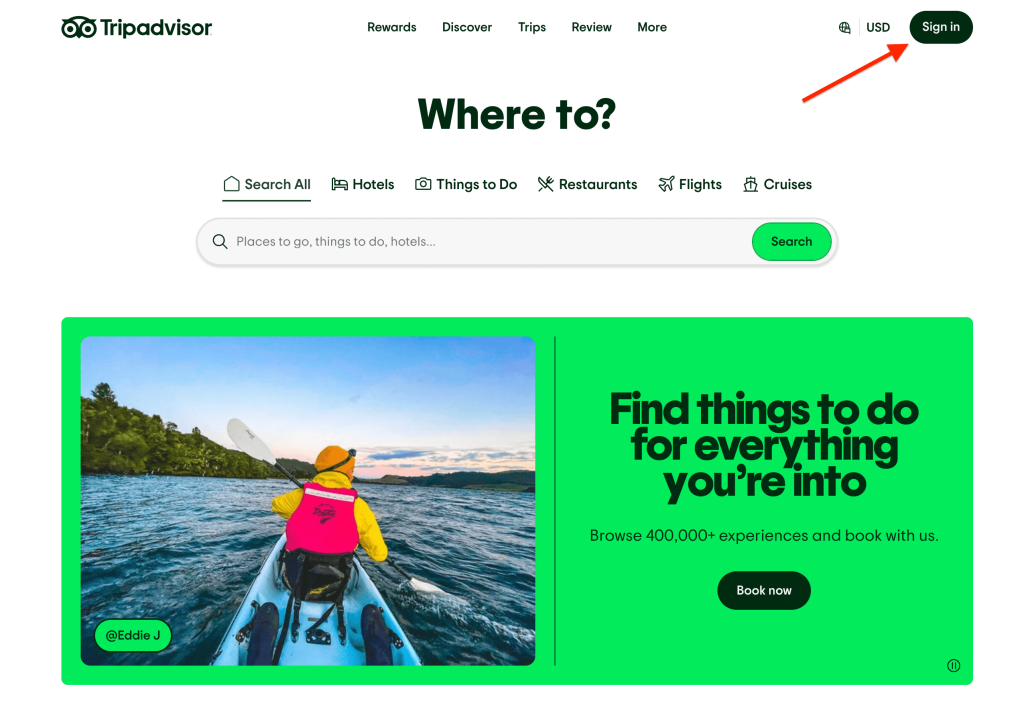
🔍 In the search bar at the top, type in the name of the place you visited, along with the city or location.
For example:
“Joe’s Pizza New York”
“Hotel Luna Paris”
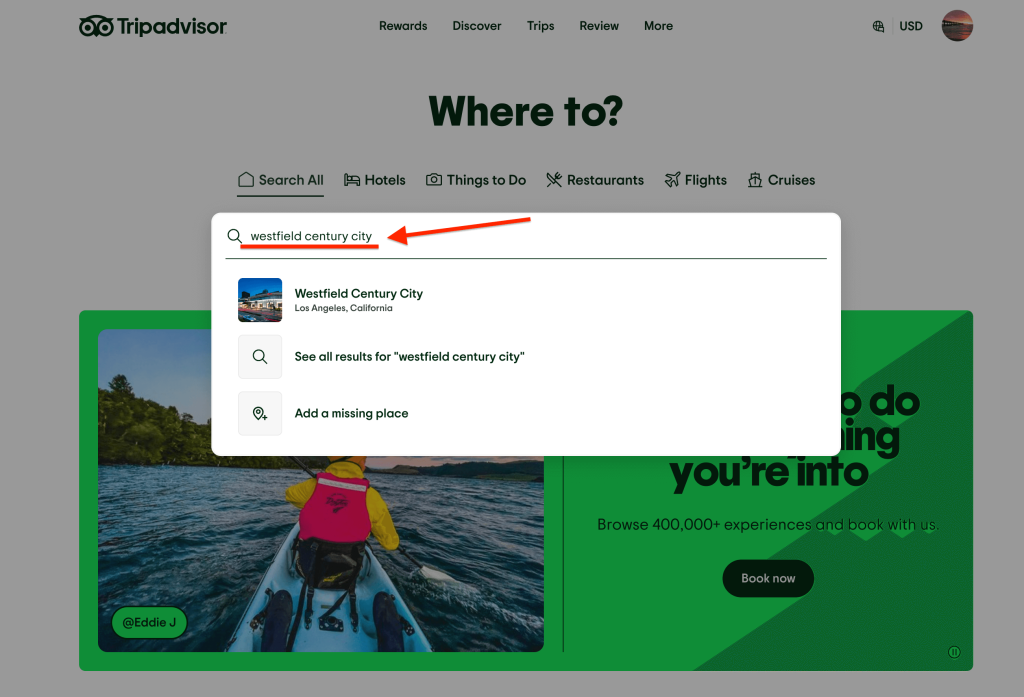
Click the correct business to open their listing page.
Step 2: Click the ‘Review’ button
Once you’re on the business’s listing page, look for the “Review” button near the top right, just above their photo gallery. It’s near the “Share” and “Save” buttons.
On mobile, it might appear lower on the page or in a dropdown menu, just look for the pencil icon “✏️” or the word “Review”.
Click the button to start writing your review.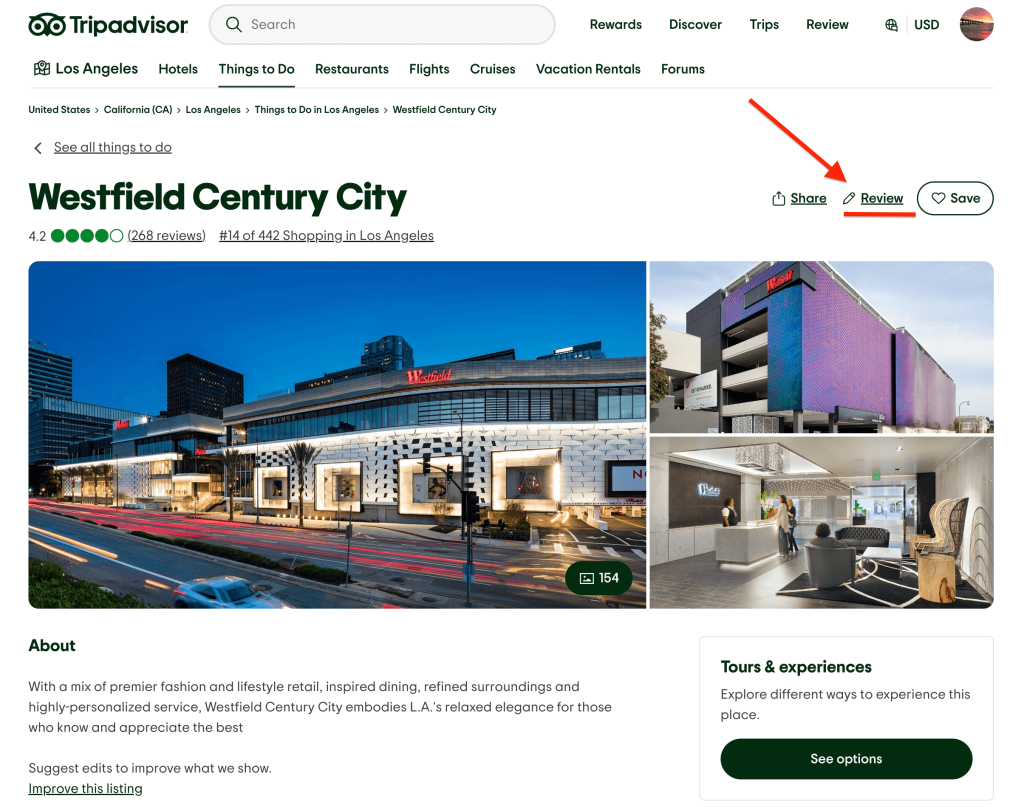
Step 3: Fill out the review form
After clicking the “Review” button, you’ll be taken to a new tab/page where you’ll share your experience.
You’ll be asked to:
- Rate your experience (1–5 rating)
- Write your review
- Give your review a title
- (Optional) Add some photos
It also asks for a few extra details like when you visited and who you travelled with — just to give more context for future readers and people that may be considering this business.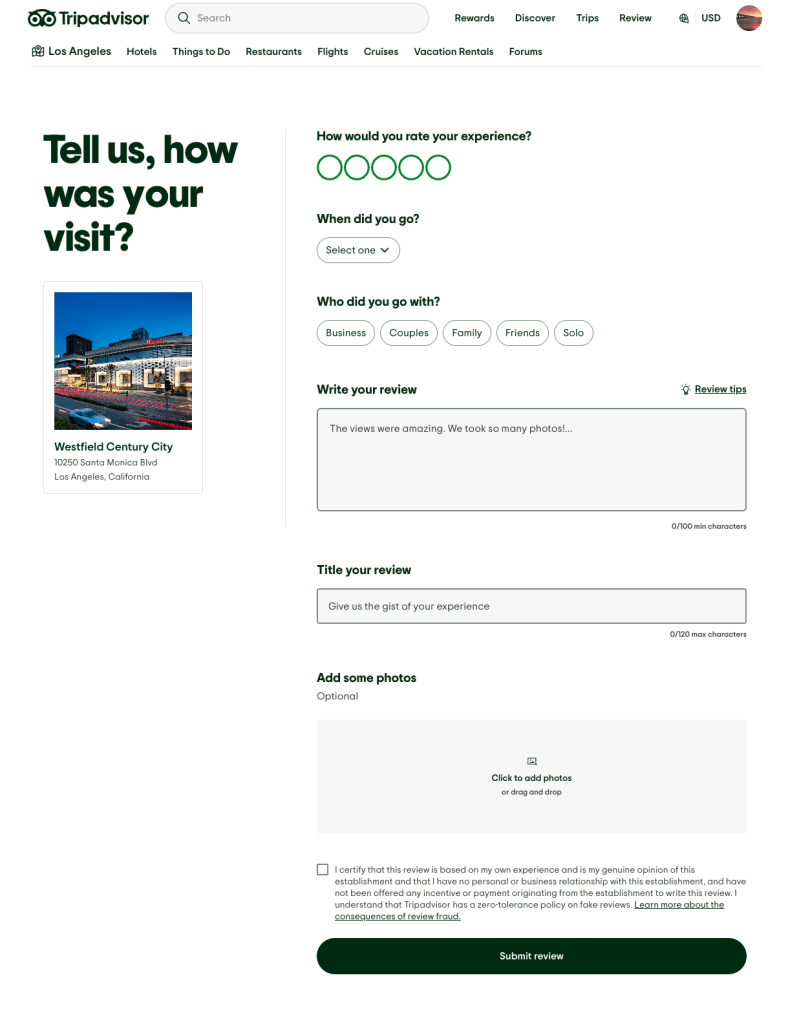
Step 4: Submit your review
Once you’re happy with what you’ve written, click “Submit review” at the bottom of the form.
After submitting:
- You may be taken to a second form which requests extra details with your review (like how long you spent there, any helpful tips you have etc.)
- TripAdvisor may ask you to confirm your email address beforehand (if it’s your first time posting).
- Your review should appear on your profile right away but it might take a few business days to be processed and published publicly on the business’s page.
📌 You’ll get an email when your review goes live — or if it’s rejected for any reason.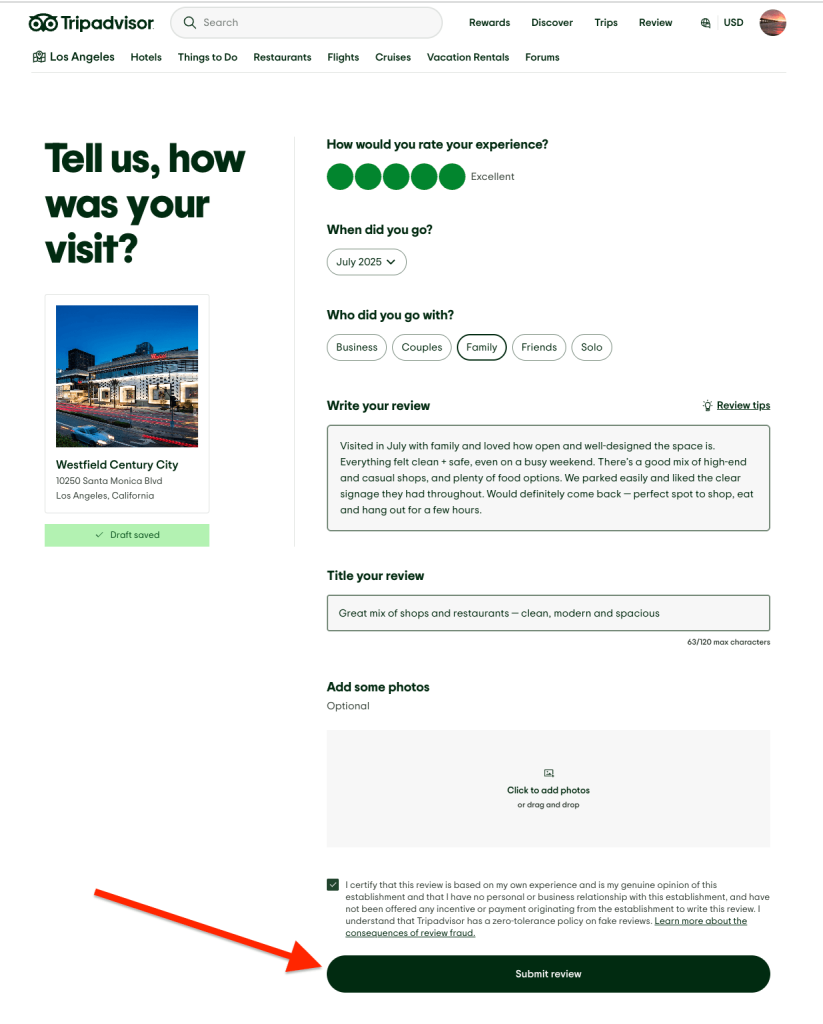
📝 Tips for writing a helpful TripAdvisor review
Want your review to actually help people (and not get filtered)? Keep it simple and real.
Here’s what makes a good one:
✅ Be specific — mention staff names, what you ordered or what made it stand out
✅ Keep it respectful — honest is good, avoid rants or ALL CAPS
✅ Mention when you visited — season, month or time of day helps others plan
✅ Break it up — use short paragraphs so it’s easier to scan
✅ Add a photo — if you’ve got one, it can make your review more visible
That’s all it takes. Just speak like you’re giving a friend a heads-up, that’s what people appreciate most.
How to edit a review on TripAdvisor
Made a typo? Forgot to mention something?
You can edit your TripAdvisor review after posting. Here’s how:
- Log into your account at tripadvisor.com
- Click your profile icon and go to “Contributions”
- Scroll to find the review you want to update
- Click the 3-dot menu (⋯) next to the review
- Select “Edit review”
- Make your changes, then click “Submit review”
⚠️ Your updated review will go through TripAdvisor’s approval process again, so it might take a few days to be republished.
How to remove a review on TripAdvisor
Want to remove your review altogether? You can do that too by following the steps below.
- Log into your account at tripadvisor.com
- Go to your profile > “Contributions”
- Find the review you want to delete
- Click the 3-dot menu (⋯)
- Choose “Delete” and confirm
⚠️ Once it’s deleted, it can’t be restored, so be sure you want to delete it before removing it.
Leaving a review takes minutes — but it can help thousands
🌎 Writing a review on TripAdvisor is one of the easiest ways to help fellow travellers and support the businesses that made your trip memorable.
Whether you’re highlighting great service, giving helpful feedback or just sharing your honest thoughts, your review can make a real difference.
So next time you have a great (or not-so-great) experience, take a minute to share it — it helps others, and your review genuinely makes a difference.
FAQs about TripAdvisor reviews
Do I need a TripAdvisor account to leave a review?
Yes, you’ll need to log in or create a free account before posting a review.
Why hasn’t my review appeared yet?
TripAdvisor reviews often go through a short approval process.
If it hasn’t gone live, check your email — they’ll let you know if your review was published or flagged.
Can I write a review if I didn’t book through TripAdvisor?
Yes, you don’t need to book through TripAdvisor to leave a review — it just needs to be based on a real experience.
Can businesses remove my review?
No, businesses can’t remove reviews just because they disagree with them or don’t like them.
TripAdvisor will only take a review down if it violates their policies — for example, if it’s fake, abusive, contains personal information or isn’t based on a real experience.