Scam Warning: Trustivo does not offer jobs via WhatsApp.
👉 Not sure how to leave a review on Yelp? You’re not alone, its not always so simple.
Whether you want to support a business you love or warn others before they book in, sharing your experience on Yelp is one of the easiest ways to help people make better decisions.
And with Yelp being one of the most trusted review sites for restaurants, services and local shops, it’s still a go-to for millions of people when choosing where to go.
In fact, Yelp sees an average of 2.5 million visits every day from people searching for businesses and services.
In this guide, we’ll walk you through:
✅ How to leave a review on Yelp (step-by-step)
✅ What to say — and how to write a good Yelp review that actually helps others
✅ What happens after you post it
✅ A few quick answers to common questions like: What is a Yelp review?, How do I leave a review on Yelp? and Can you get paid for Yelp reviews?
Let’s get into it.
How to leave a Yelp review (step-by-step)
Leaving a Yelp review only takes a few minutes. Here’s how to do it:
-
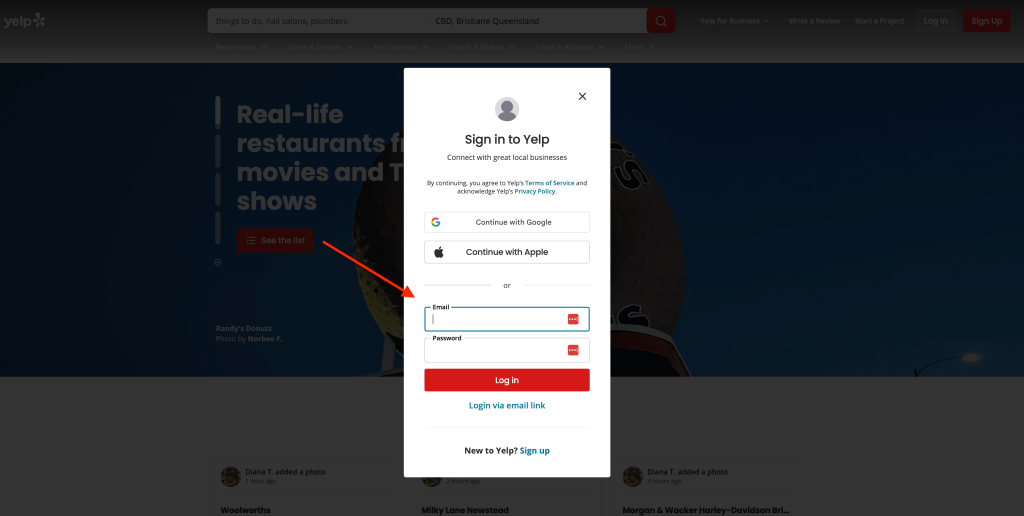
Sign into Yelp
Go to yelp.com and log in using your email, Google, Apple or Facebook that’s linked to your Yelp account.
 ⚠️ Don’t have an account?
If not, you’ll can easily create one — it’s free and only takes a minute.Just click the “Sign up” button instead of logging in in this step.
You’ll be prompted through the setup steps to create your account.
-
Find the business
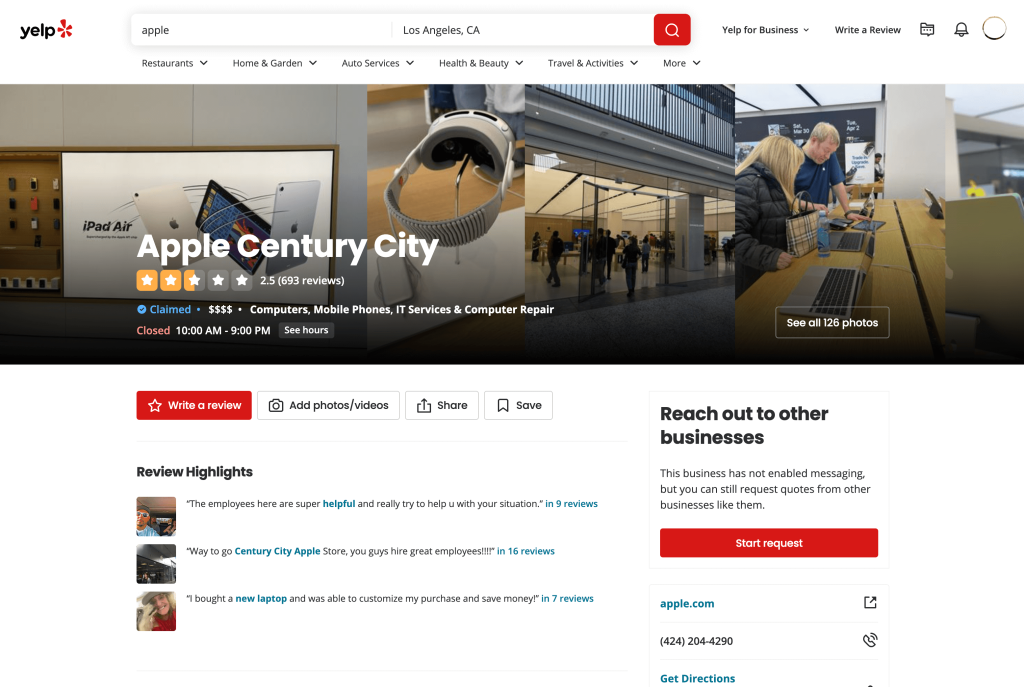
🔍 Use the search bar at the top to type in the name of the business.
It’s a good idea to also add the 📍 location of the business to find it quicker but also ensure you’re leaving a review on the correct business (if they have multiple locations).
Once you see it in the results, click the correct listing to open the business page.
-
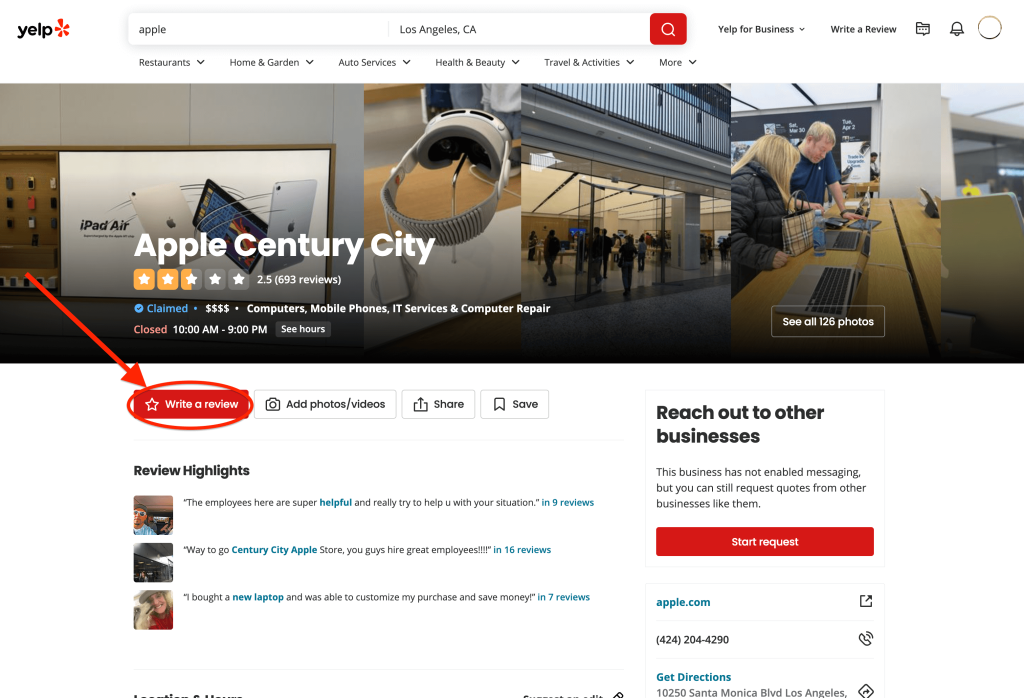
Click “Write a Review” button
Once the business page opens, look for the red ⭐️ “Write a Review” button.
On desktop, it usually appears near the top of the page.
On mobile, you might need to scroll down the business page slightly to find it.
🖱️ Click the button to start writing your Yelp review.

-
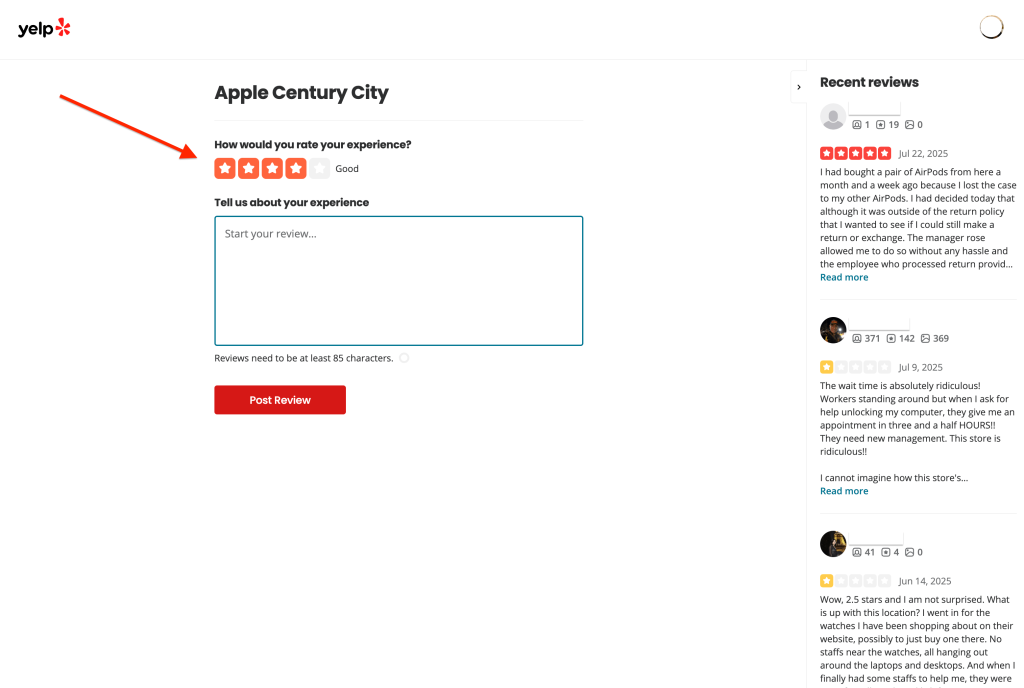
Select your star rating
Choose how many stars you want to give based on your experience.
👉 Be honest and fair — helpful Yelp reviews reflect what actually happened without exaggeration or lying.
⭐ 1 star = Very poor
⭐⭐⭐⭐⭐ 5 stars = Excellent
-
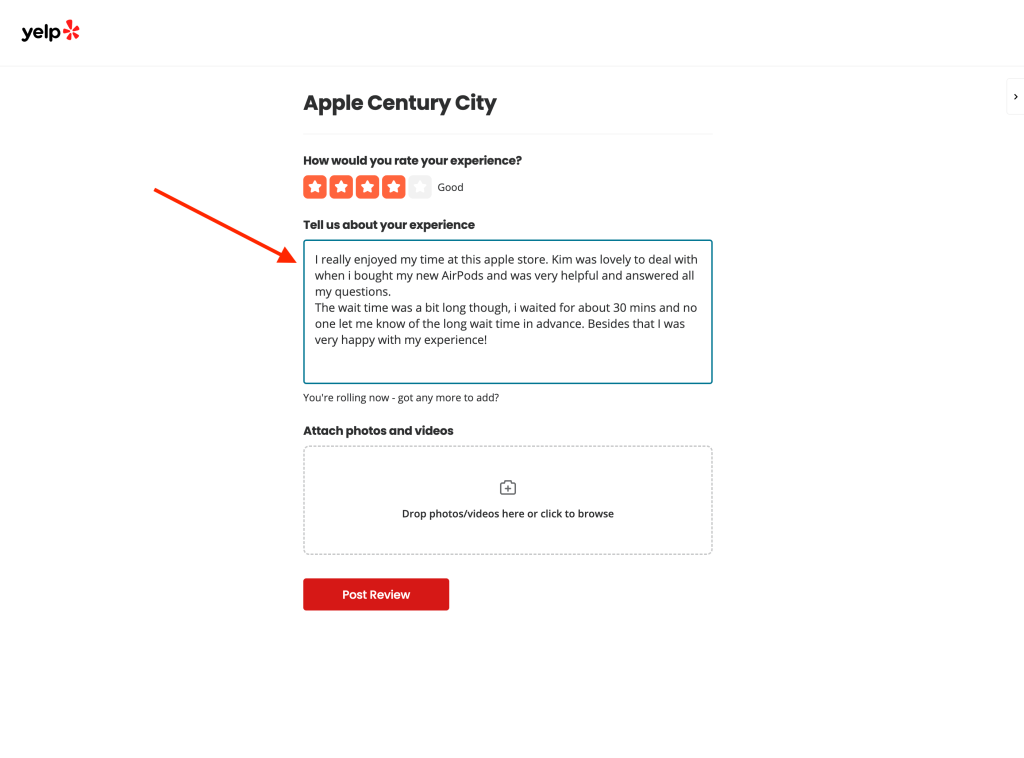
Write your review
✏️ Now it’s time to write and share your experience. You don’t need to overthink it — just be clear and specific.
Here are a few quick tips:
✅ Mention what you paid for (a meal, a service, an appointment, etc.)
✅ Highlight what stood out (good or bad)
❌ Skip swearing or personal insults — Yelp may filter or remove reviews that break their guidelines.
-
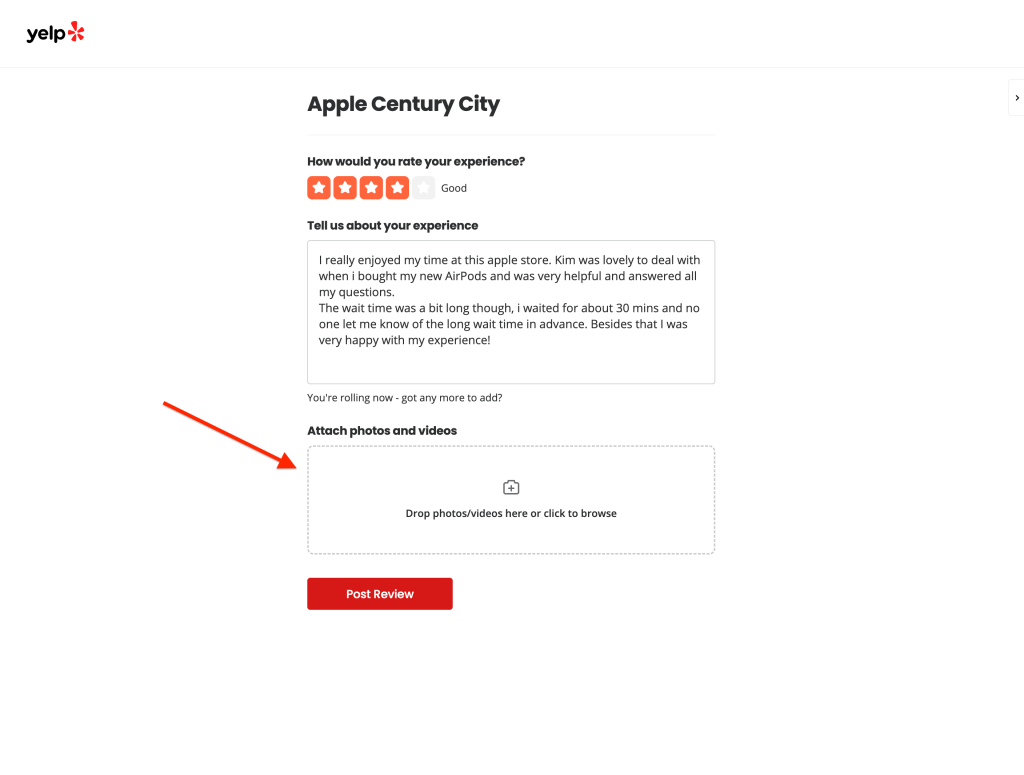
Add photos (optional)
If you have photos from your visit, like what you ordered or what the business looked like, you can upload them with your review.
📌 This step is optional, but reviews with photos are taken more seriously and stand out more.

-
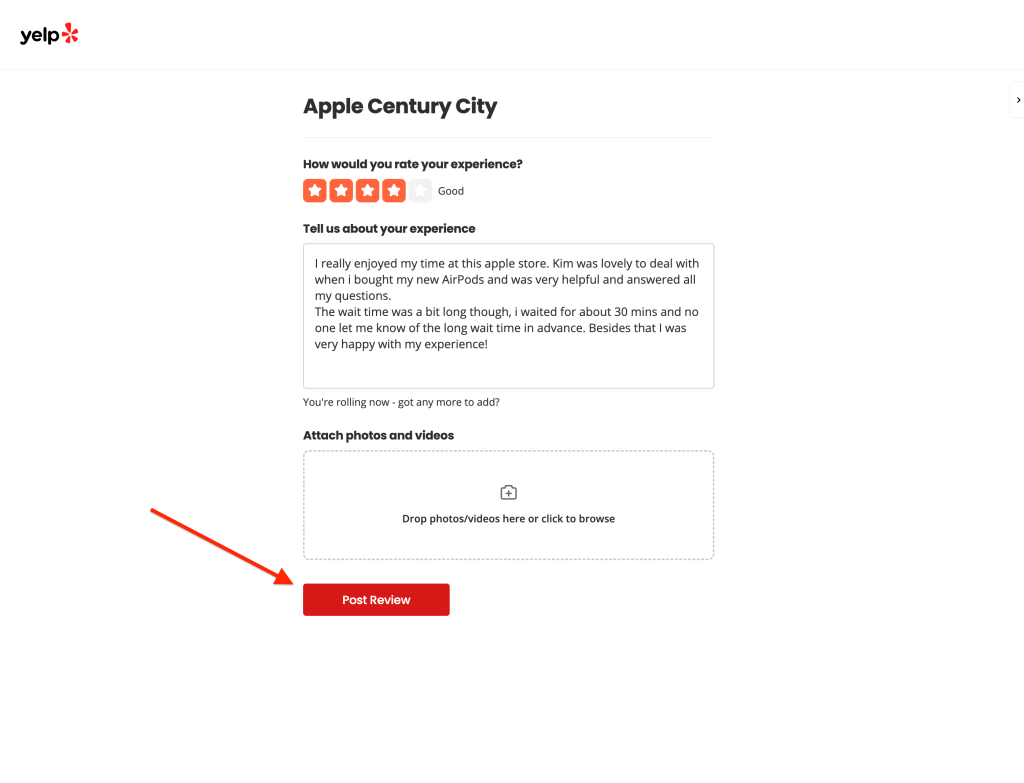
Click “Post Review”
Once you’ve finished your Yelp review, hit “Post Review.”

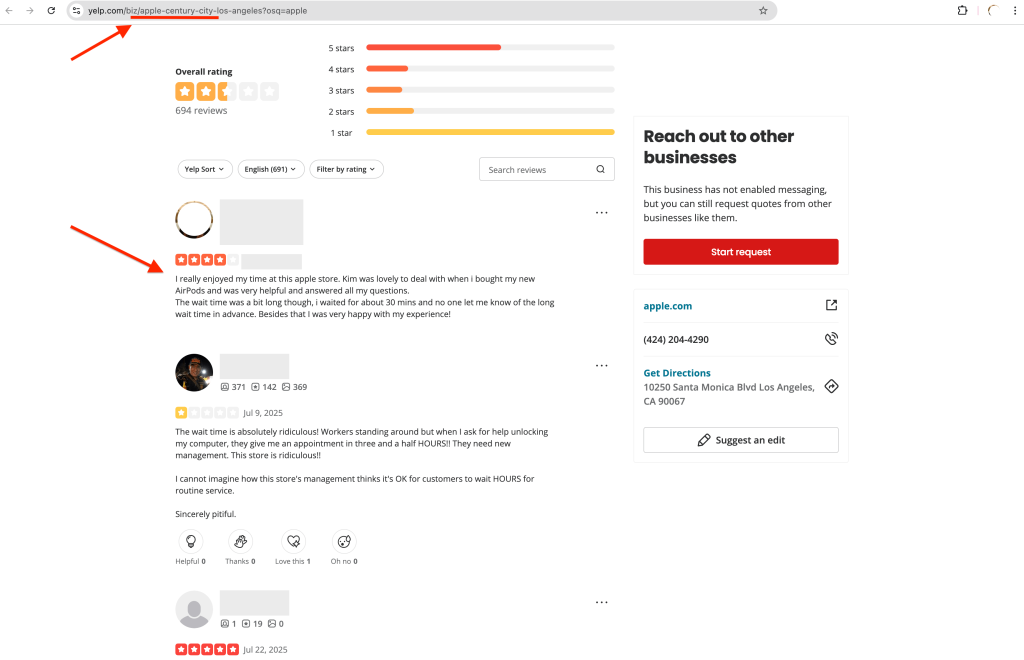
🎉 Your feedback will go live on the business’s page for other people to see.
 ⚠️ Don’t have an account?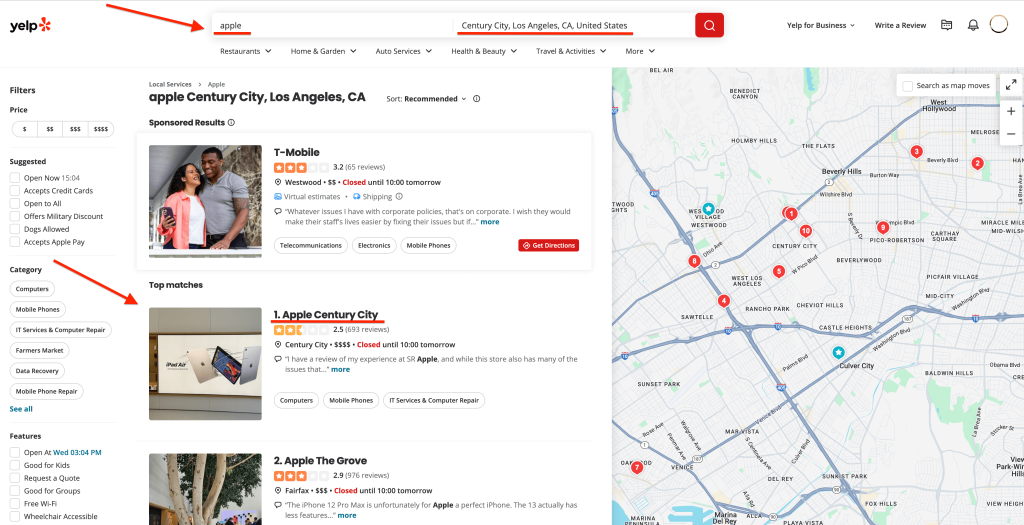
📝Want to change or remove your review?
We walk you through the steps to do both in our other guide: How to delete your Yelp review.
How to write a good Yelp review
You don’t need to be a writer to leave a helpful review — but adding a bit of detail makes a big difference.
Here are a few tips to make your review more useful (and more likely to be taken seriously):
✅ Be specific
👉 Mention exactly what you paid for or what you experienced.
“We ordered the steak and the grilled salmon — both came out quickly and were cooked perfectly.”
It helps others know what to expect — especially if they’re looking for the same kind of service or product.
✅ Share what stood out
Include what made the experience memorable.
- Was someone helpful or friendly?
- Did they fix a problem quickly?
- Was it clean, fast, organised — or the opposite?
👉 If someone made your day, mention them by name. If something fell short, explain it calmly and clearly.
✅ Stay fair and respectful
Even if your experience wasn’t great, it helps to keep things balanced.
👉 Honest reviews are more trusted — and they’re less likely to be flagged or removed by Yelp.
“Service was slow on arrival, but the staff were friendly and apologised. Food was fresh and tasty once it arrived.”
❌ Avoid short or vague reviews
One-word reviews like “Awesome!” or “Never again” don’t give much insight — and can look fake or low-effort.
👉 Instead, aim for a few clear sentences about what happened, what you liked (or didn’t), and why.
✏️ Example of a helpful Yelp review:
“Had a great experience with Bob the mechanic. He explained everything clearly, didn’t overcharge, and had the car ready the same day. Appreciate the honesty — will be back for the next service.”
FAQs about leaving a Yelp review
What is a Yelp review?
A Yelp review is a public comment and star rating you leave on a business’s profile.
It helps others understand what kind of experience to expect — and gives businesses feedback too.
Can you get paid for Yelp reviews?
No. Yelp’s policies don’t allow incentivised or paid Yelp reviews.
Yelp reviews must be based on your real experience — otherwise, they risk being removed.
What happens after I post my review?
Once you click “Post Review,” your feedback is submitted to Yelp.
Most reviews show up instantly on the business’s page.
But in some cases, Yelp may filter or hold your review if:
- Your account is brand new
- Your review is very short
- It seems fake or promotional
Don’t worry — this doesn’t always mean it’s rejected. Yelp’s system is just cautious about what shows publicly and wants to ensure each review is real and from genuine accounts.
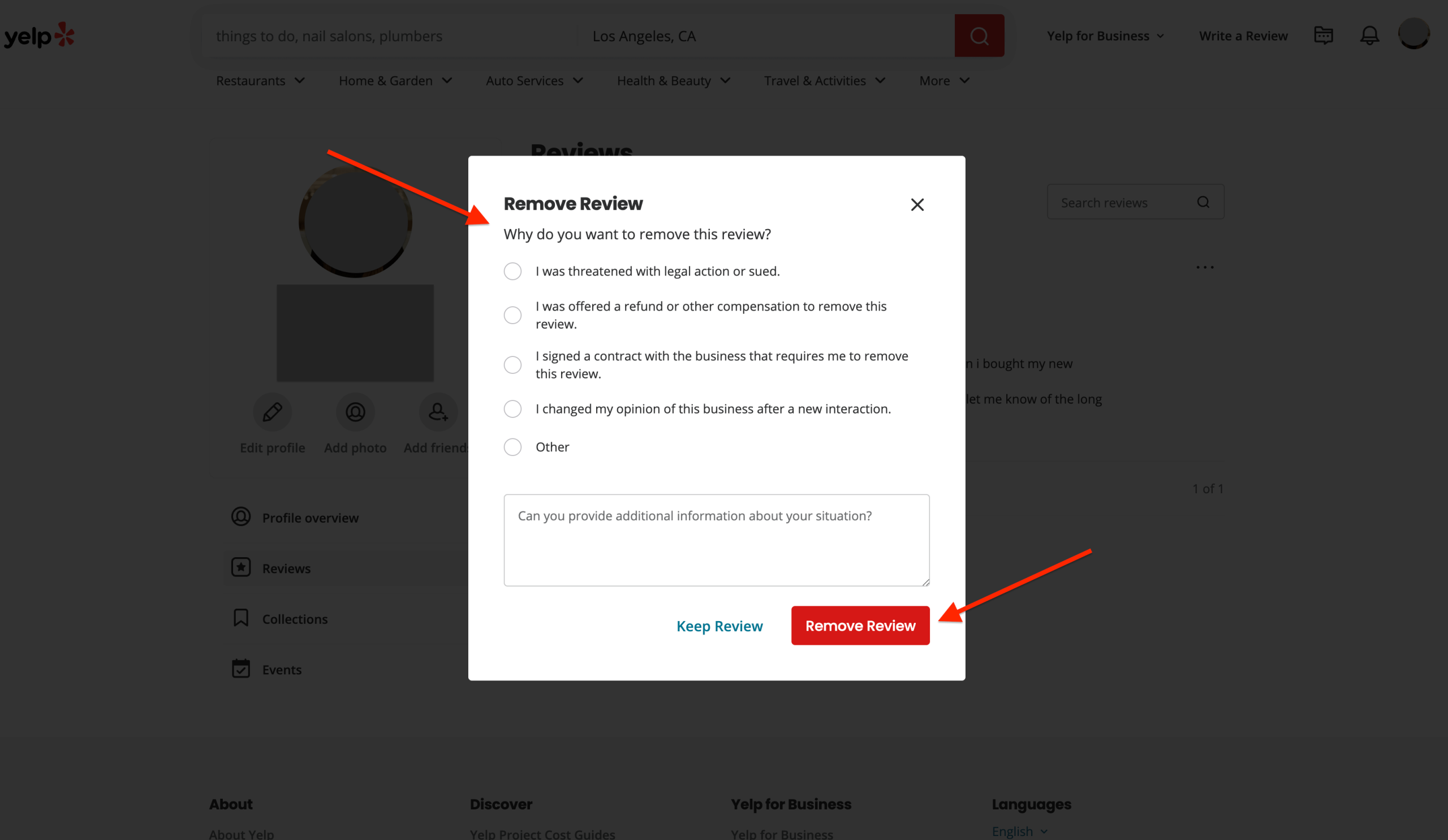
Can I delete or edit my Yelp review?
Yes. You can change or remove your review anytime.
- Go to your Yelp profile (under “About Me”).
- Click “Reviews” in the sidebar. This will take you to all the reviews you’ve written on Yelp (with this account).
- Find the review you want to edit or delete.
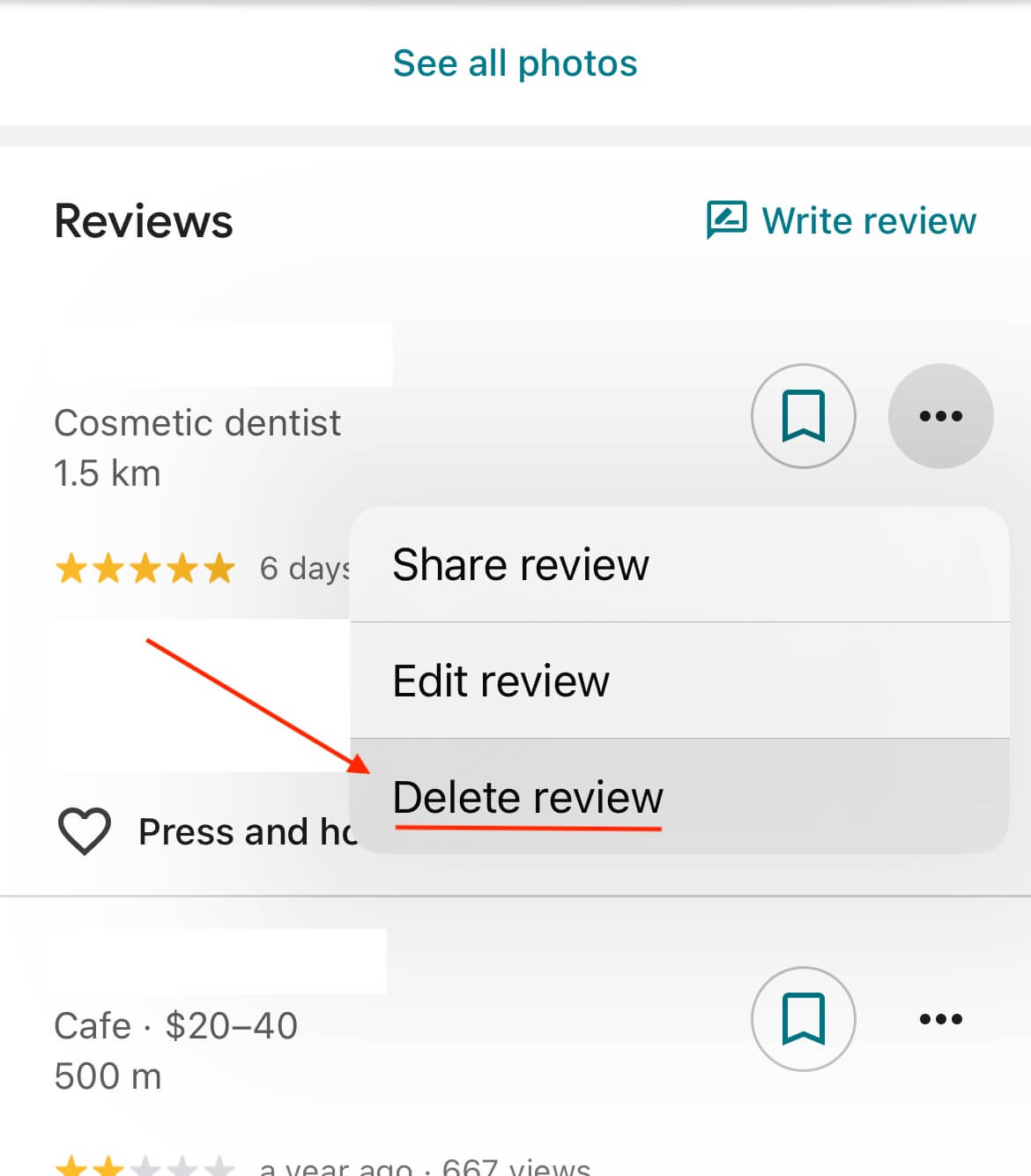
- Click the three dots (•••) next to the review and click either “Edit review” or “Remove review” (depending on what you want to do).
Want more help doing this with step-by-step screenshots? See our full guide: How to delete your yelp review.