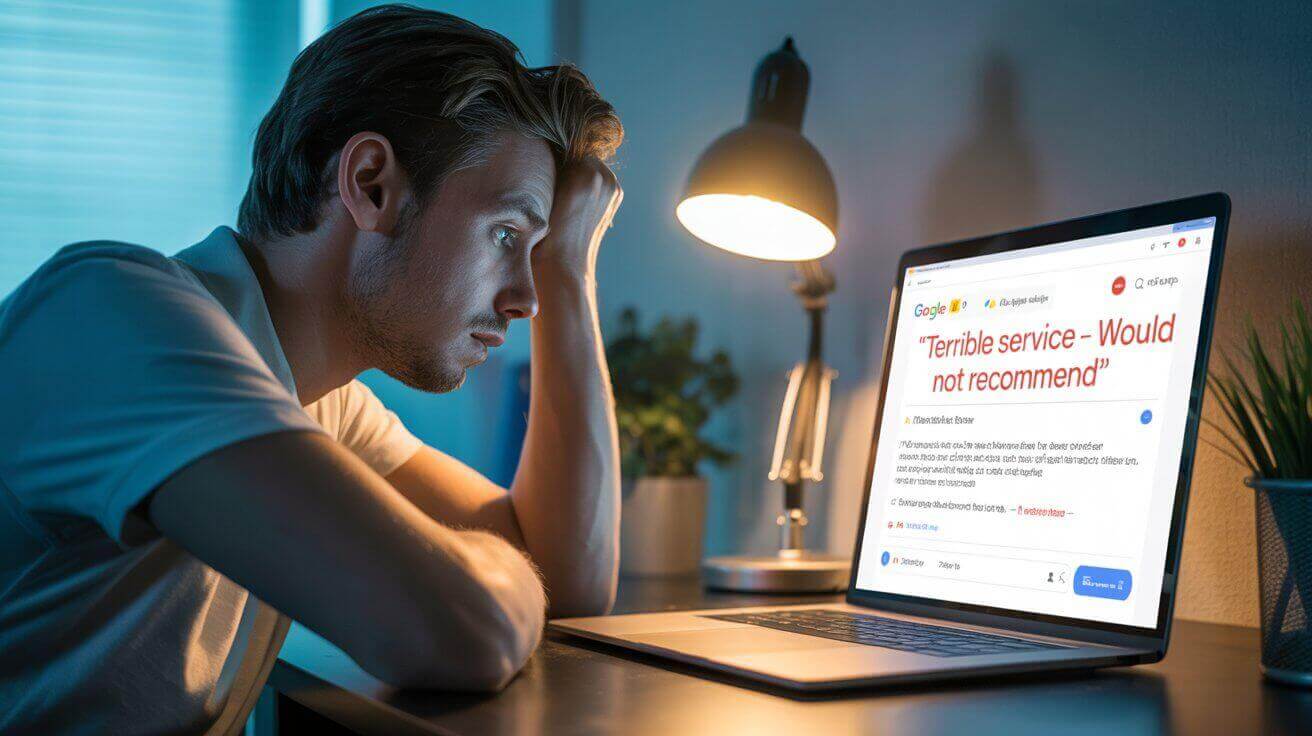
👉 Getting a bad review on Facebook can feel personal — especially when you’ve worked hard to do the right thing and provide great service.
Whether it’s unfair, fake or just brutally harsh, negative reviews can hurt more than your feelings.
They can impact trust, turn away potential customers, and sit at the top of your profile for everyone to see.
So what can you actually do about it?
That’s where this guide comes in.
People also commonly ask: Can you delete reviews on Facebook?
The short answer is: No — not really.
But that doesn’t mean you’re stuck with it forever.
In this post, we’ll walk you through what is possible with removing bad reviews on Facebook — from reporting fake reviews to just hiding the reviews section on your Facebook page altogether.
You’ll also get practical tips for how to respond if the review stays up — and what to do to protect your reputation moving forward.
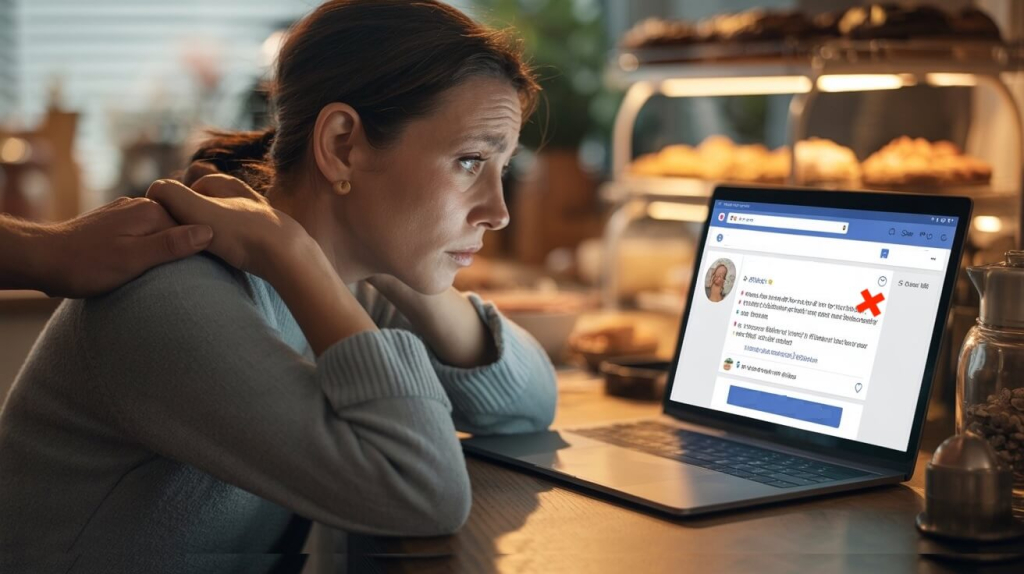
Can you delete reviews on Facebook?
📌 No, you can’t manually delete individual reviews on your Facebook business page, even if they’re unfair or completely one-sided.
Facebook doesn’t give businesses the power to remove reviews because they want the platform to feel trustworthy and be transparent.
If every business could just delete negative reviews, they wouldn’t hold much value — and people wouldn’t trust them.
But that doesn’t have to mean you’re stuck with them.
There are ways to deal with reviews that cross the line — and ways to protect your business if a bad one stays up.
⚠️ Option 1: Report the review to Facebook
If the review is more than just negative — and actually breaks Facebook’s rules — you can report it.
📌 This is the only way Facebook will consider removing it.
You can report a review if it includes things like:
-
- Fake claims from someone who’s never been a customer
- Offensive language, hate speech or bullying
- Spammy links, promotions or irrelevant rants
- Personal attacks
- Reviews from competitors trying to hurt your reputation
👉 Just keep in mind: Facebook won’t remove a review just because you disagree with it.
It has to clearly go against their Community Standards.
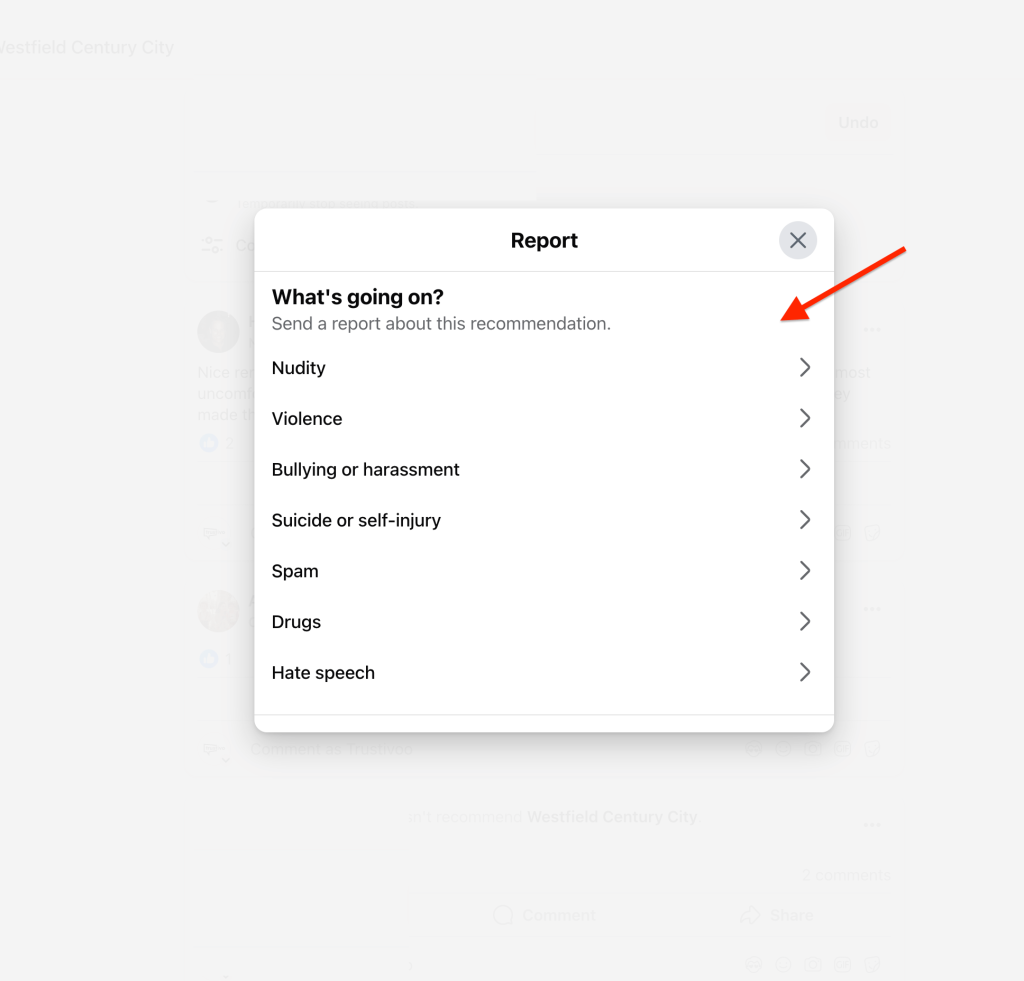
How to report a Facebook review:
- Go to your Facebook business page.

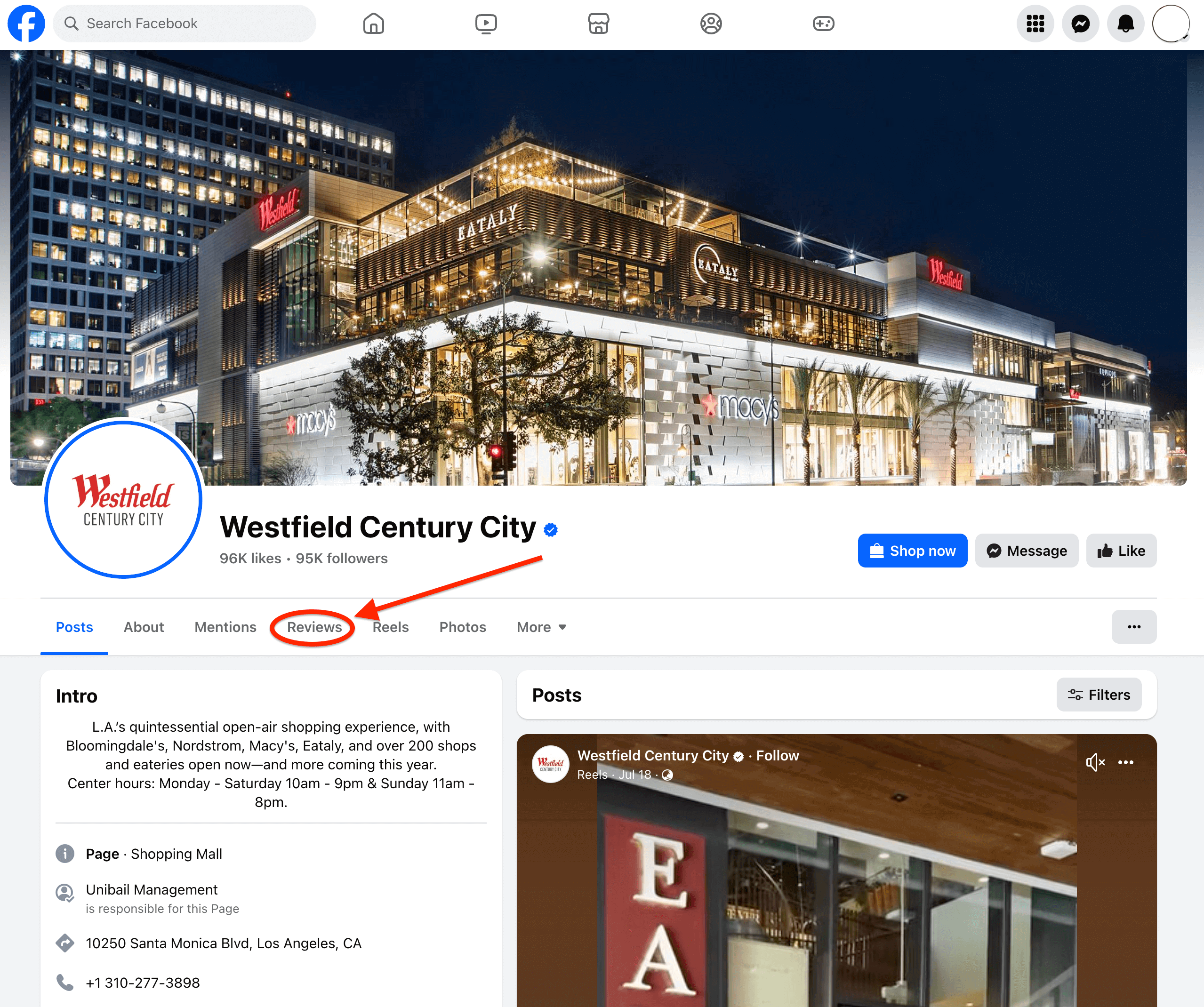
- Go the the “Reviews” tab where reviews are left on your Facebook page.

- Find the review you want to report and click the three dots (•••) in the top right corner of the review.

- Select “Report post”
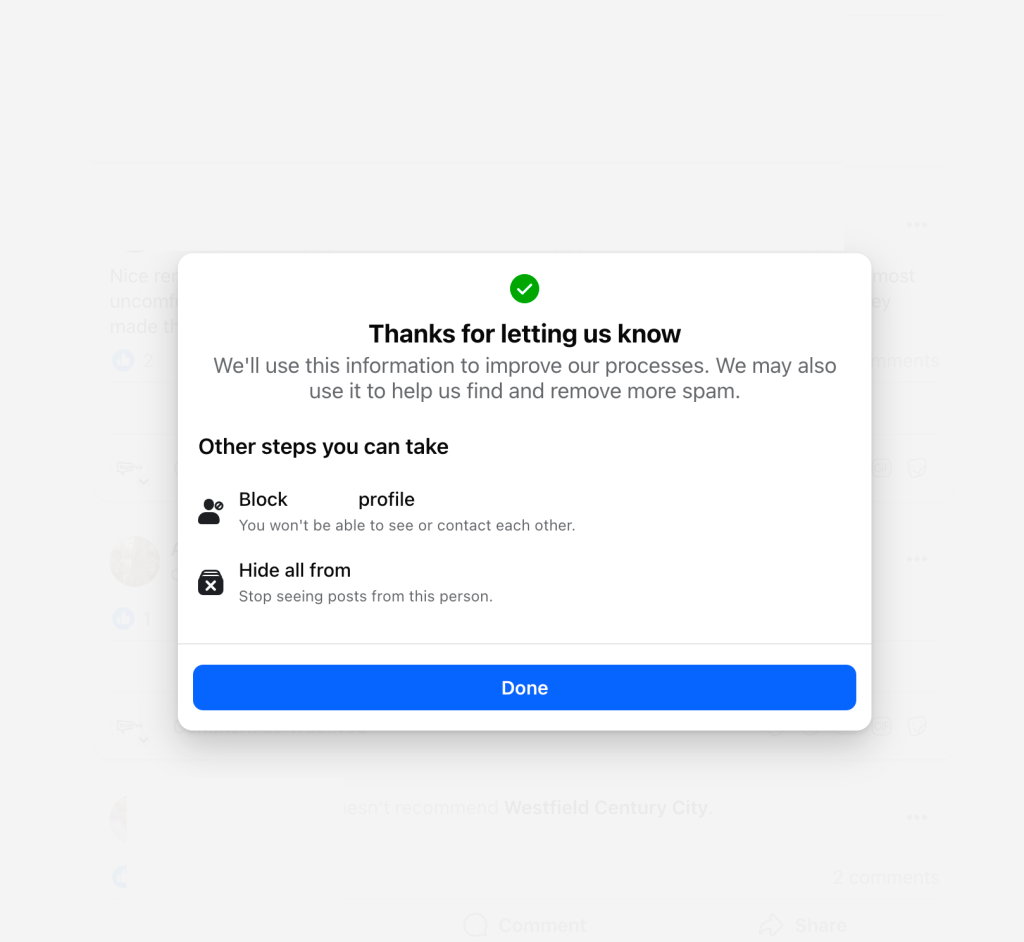
- Choose the reason that best fits why you’re reporting the review.

- Submit the report and wait for Facebook to review it.

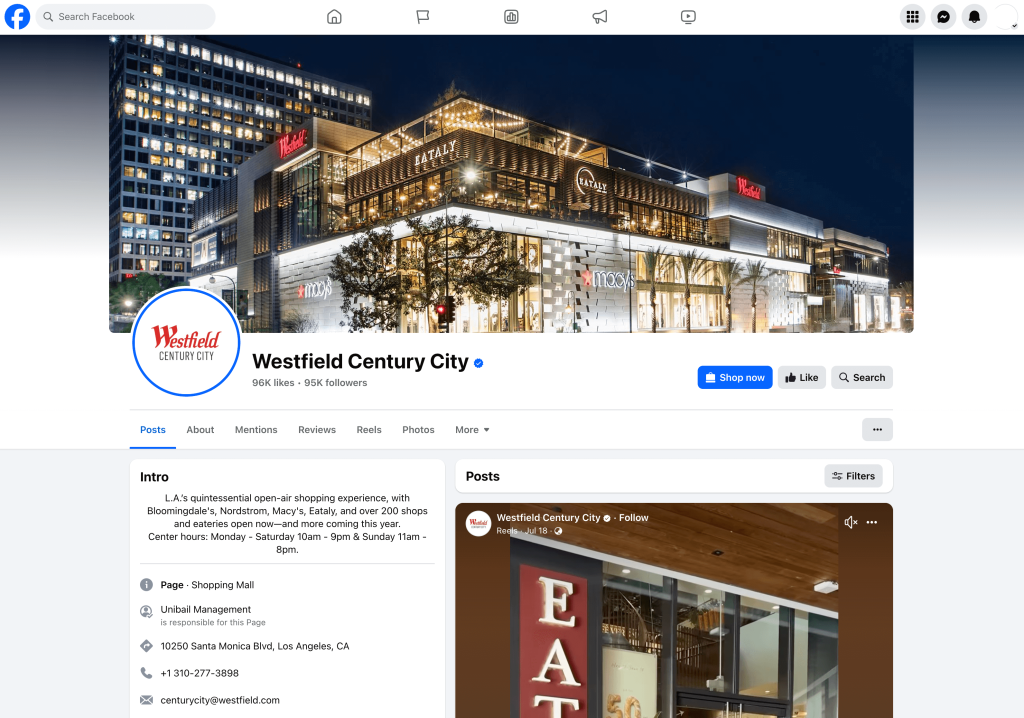
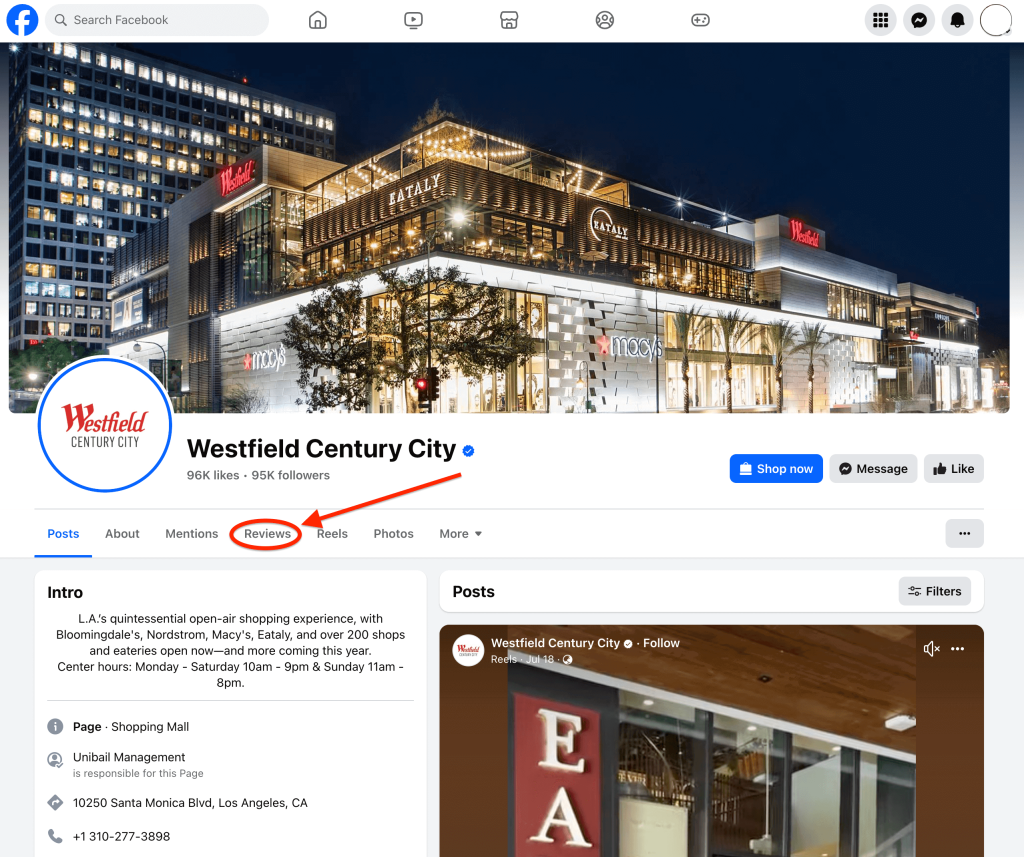
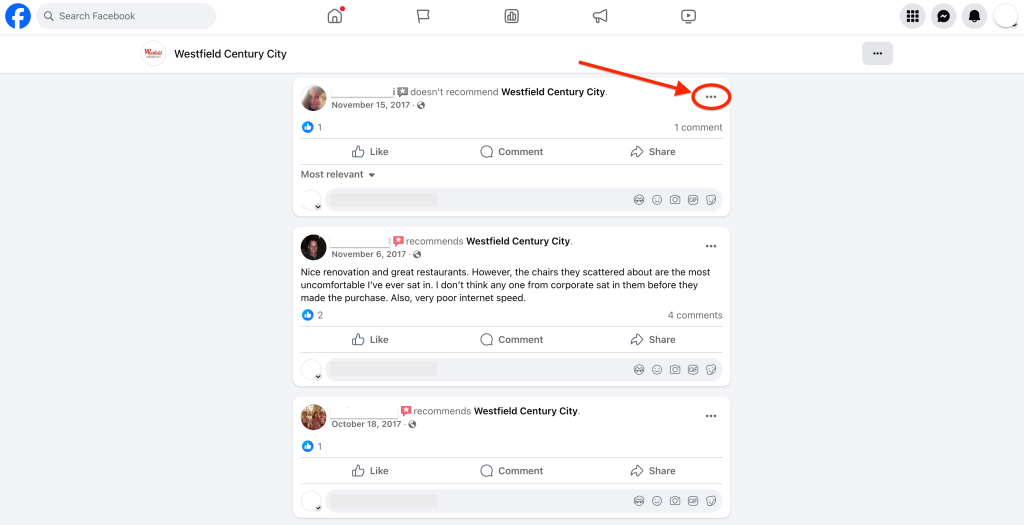
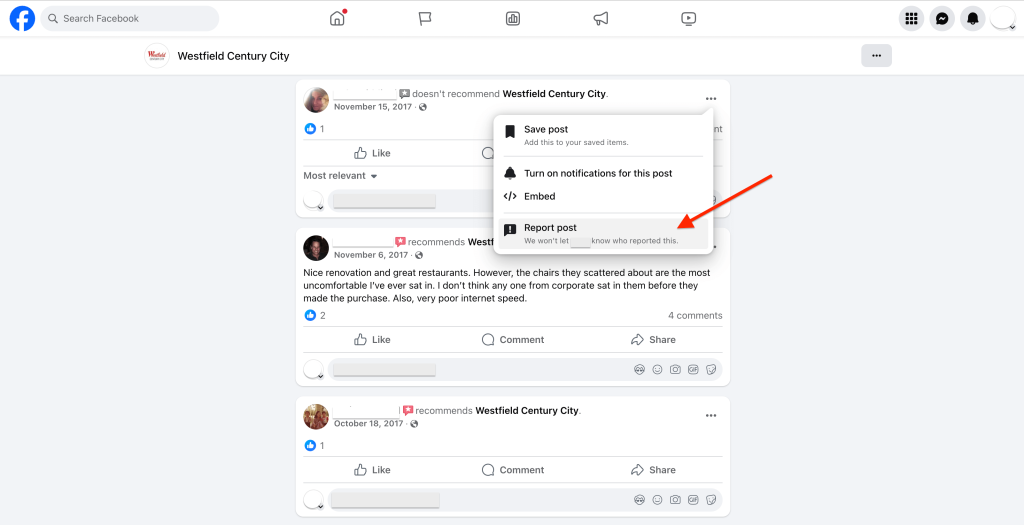
✏️ Tip:
It can help if other people (like staff or loyal customers) report the same review too — especially if it’s clearly fake or inappropriate.
🕵🏻♂️ Option 2: Hide all reviews from your Facebook page
If Facebook won’t remove the review, and it’s something that’s clearly fake, spammy or part of a coordinated attack, you do have the option to turn off the reviews section entirely.
This hides all existing reviews (both good and bad) and prevents new ones from being posted.
It doesn’t delete anything — but it will remove your star rating and stop people from seeing or leaving reviews on your page.
That said, this should really only be used as a last resort.
Like in situations where you’re being spammed, targeted unfairly or dealing with fake reviews that keep slipping through, it can be a helpful short-term fix while you sort things out.
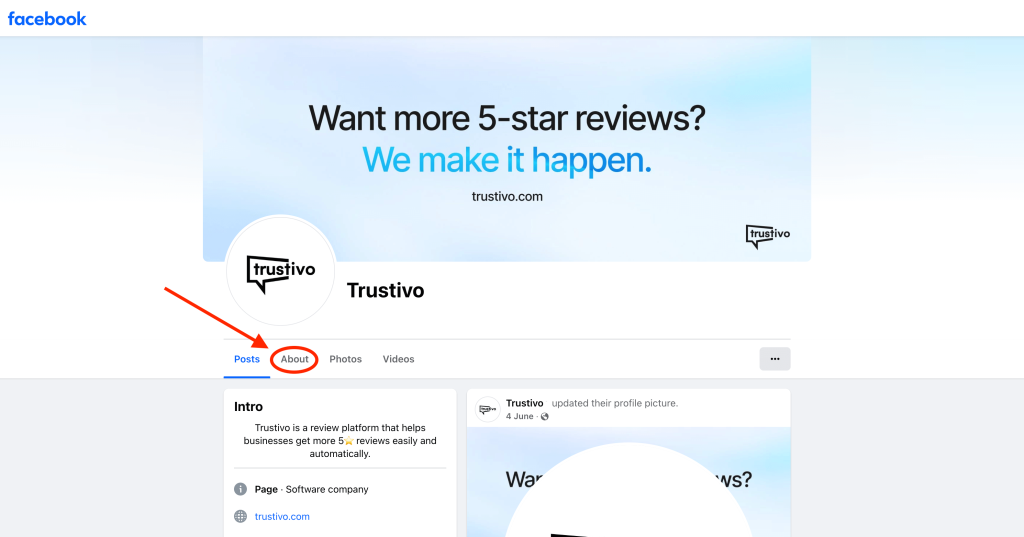
How to hide reviews on Facebook:
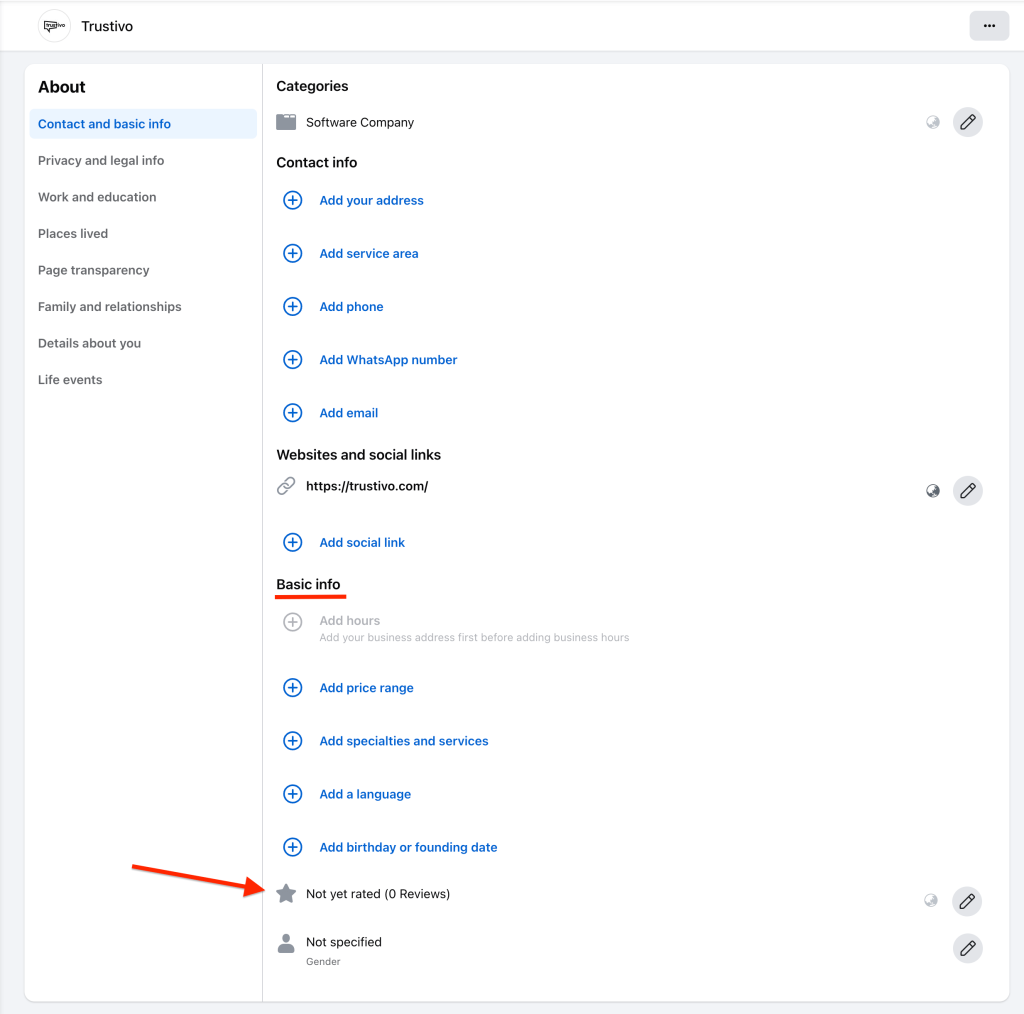
- Go to your Facebook business page and click on the “About” tab

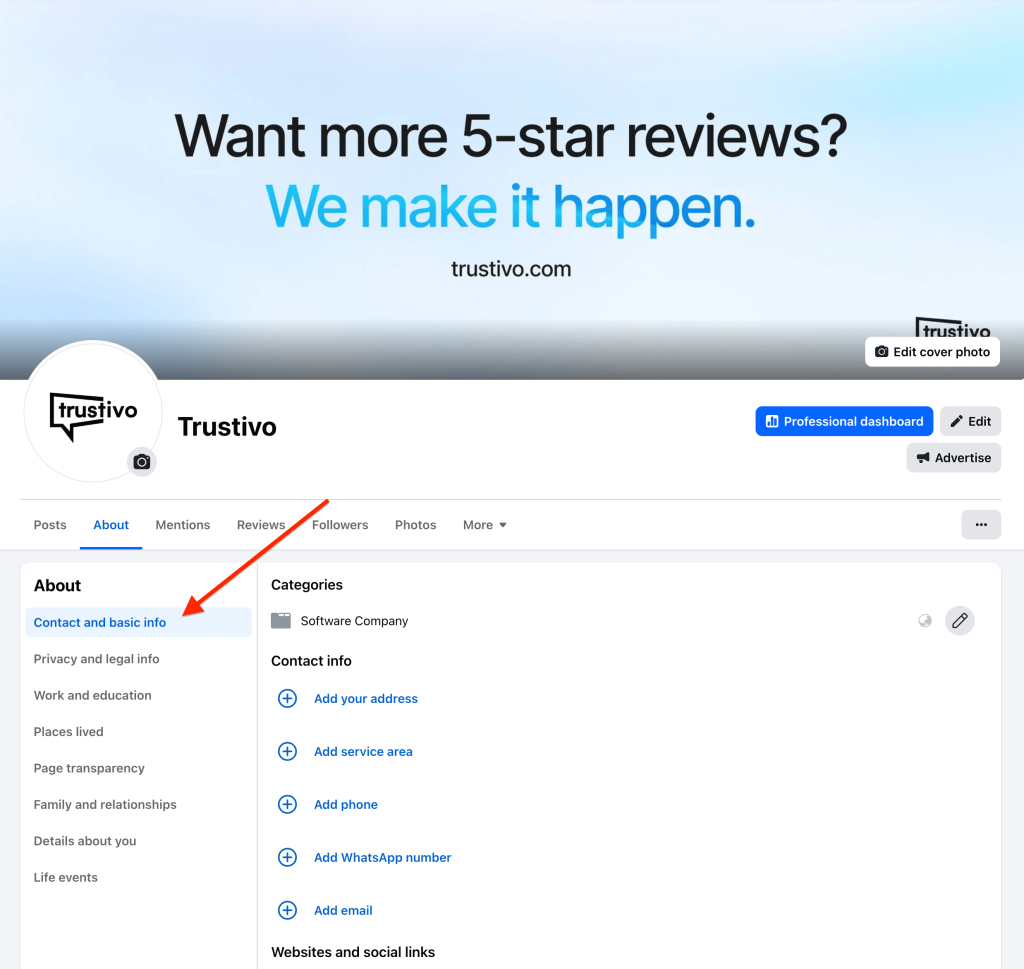
- You’ll automatically land in the “Contact and basic info” section. If not, find your way into this section.

- Scroll down to the “Basic info” section. Here you’ll see your current rating and number of reviews you have towards the bottom of this section.

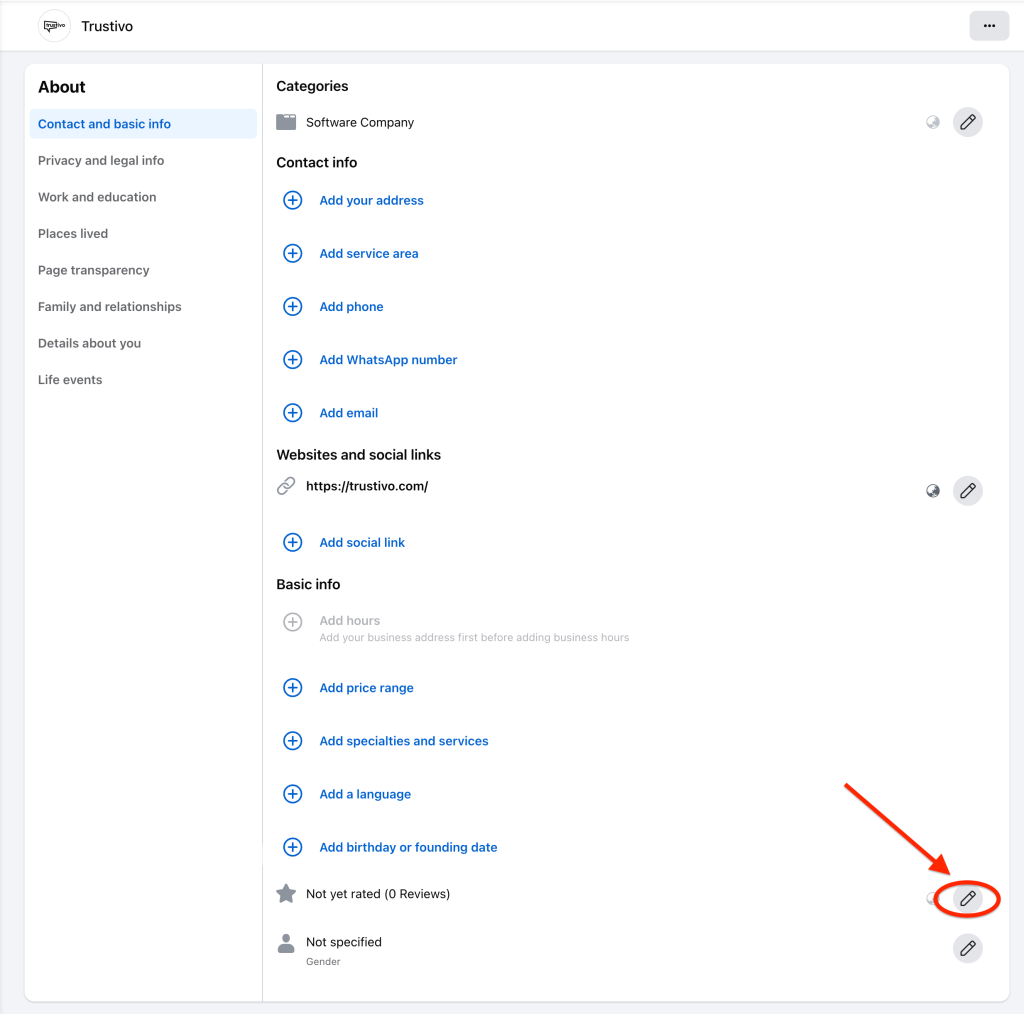
- Click on the pencil icon to the right side of the reviews.
- Toggle the reviews off and click “Save”.

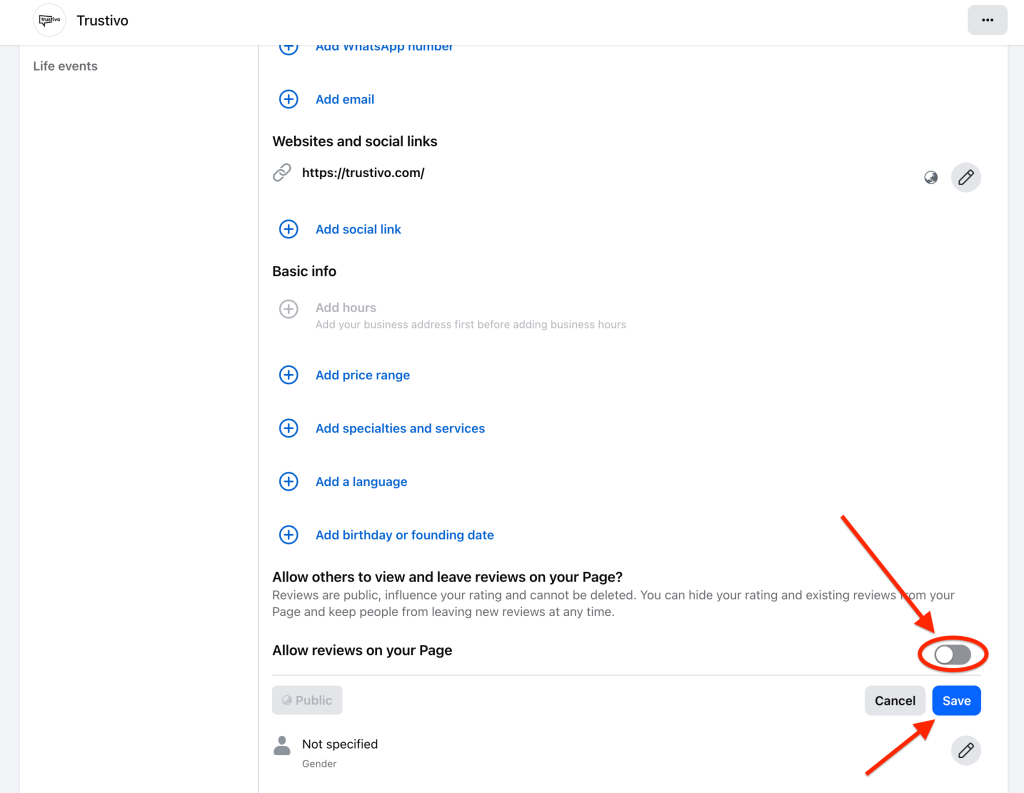
⚠️ Once reviews are hidden, the “Reviews” tab disappears from your live Facebook page and your star rating and previous reviews won’t be visible to the public.
Want to stop one bad review from defining your whole business?
👉 You can’t always control what someone writes — but you can control what future customers see.
Trustivo helps you get more Facebook reviews (and reviews on Google, Yelp and more) with less effort.
Once set up, our review software runs quietly in the background, automatically ⚙️ sending review requests to your customers after each job or sale 💵
Prefer more control? You can send requests to individual customers too, choosing exactly who gets asked and when.
Each request also gives customers the chance to leave private feedback first 📩 helping you catch and resolve issues ❌ before they turn into public reviews.
✅ Set-and-forget online review management tool
✅ Consistently get new reviews over time
✅ Helps push down unfair reviews with more genuine, positive reviews
👉 Start your free trial today.
Frequently asked questions
Can I delete a fake review?
No, not directly. But if the review is clearly fake (like from someone who’s never been a customer, or a competitor trying to cause damage), you can report it to Facebook.
Facebook may remove it if it breaks their guidelines — but they won’t delete a review just because it’s negative or unfair.
Can I hide one review without removing the whole section?
No — Facebook doesn’t let you pick and choose which reviews show up.
You either keep your full reviews section visible (with your rating and all past reviews), or turn off the entire section.
If I hide reviews, will old ones come back if I turn them back on?
Yes. If you decide to re-enable reviews later, your previous reviews and rating will reappear.
Facebook doesn’t delete anything — it just hides them from public view until you switch the setting back on.
Do bad reviews hurt my Facebook rating?
Yes, they can. Facebook calculates your overall rating based on all reviews — so a few bad ones will lower your average, especially if you don’t have many good reviews to balance them out.
That’s why it helps to regularly invite happy customers to leave feedback, so one bad review doesn’t have too much weight.
What should I do if the bad review stays up?
If Facebook won’t take it down and you don’t want to hide the whole reviews section from your profile, your best move is to respond calmly and professionally.
A good reply shows that you take feedback seriously — and future customers will read it, even if the reviewer never comes back.
You can also invite a few happy customers to leave reviews.
A couple of strong 5-star ones can quickly push the bad one down and rebuild trust fast.