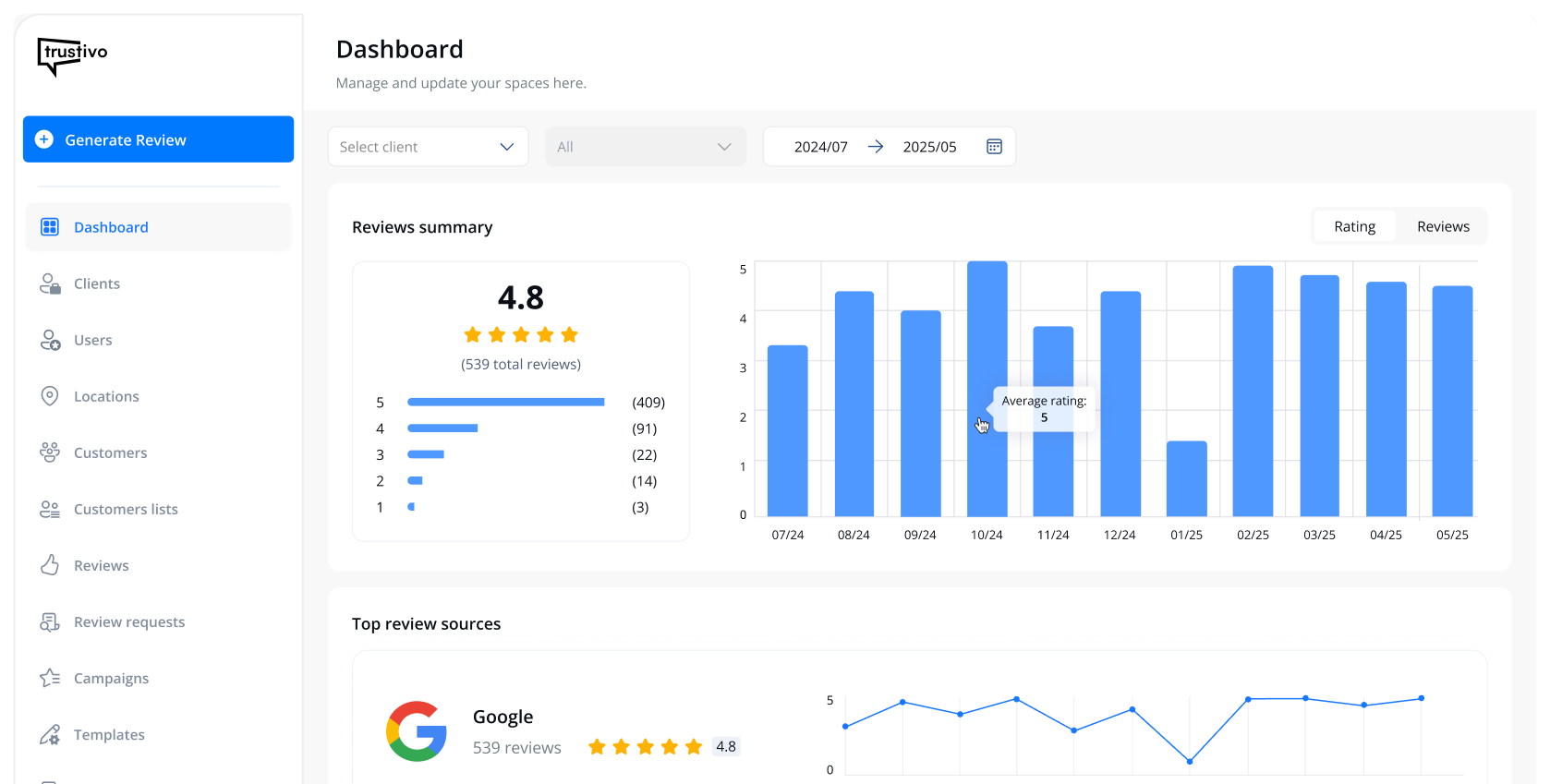
👉 Already have your business set up on Google — but struggling to get reviews? You’re not alone.
Plenty of business owners want to know how to get reviews on Google My Business (now called Google Business Profile), and how to increase Google reviews in a way that actually works.
And there’s good reason to want more. Businesses with positive Google reviews can see up to an 18% increase in revenue (Wisernotify).
But getting them isn’t always straightforward.
Many business owners aren’t sure where to start — and even wonder things like “can you pay for Google reviews instead?”
(spoiler: you can, but definitely shouldn’t).
In this guide, we’ll walk you through simple, proven ways to build up your reviews the right way — and get a system going that works in the background, so you can consistently get Google reviews and don’t have to ask every customer yourself.
You’ll learn:
✅ What to check before you can collect Google reviews
✅ How to increase your reviews in a consistent, natural way
✅ Easy ways to ask (without it feeling awkward or pushy)
✅ What not to do — including things like paying for Google reviews
Let’s get into it.
Step 1: Make sure your Google Business Profile is set up
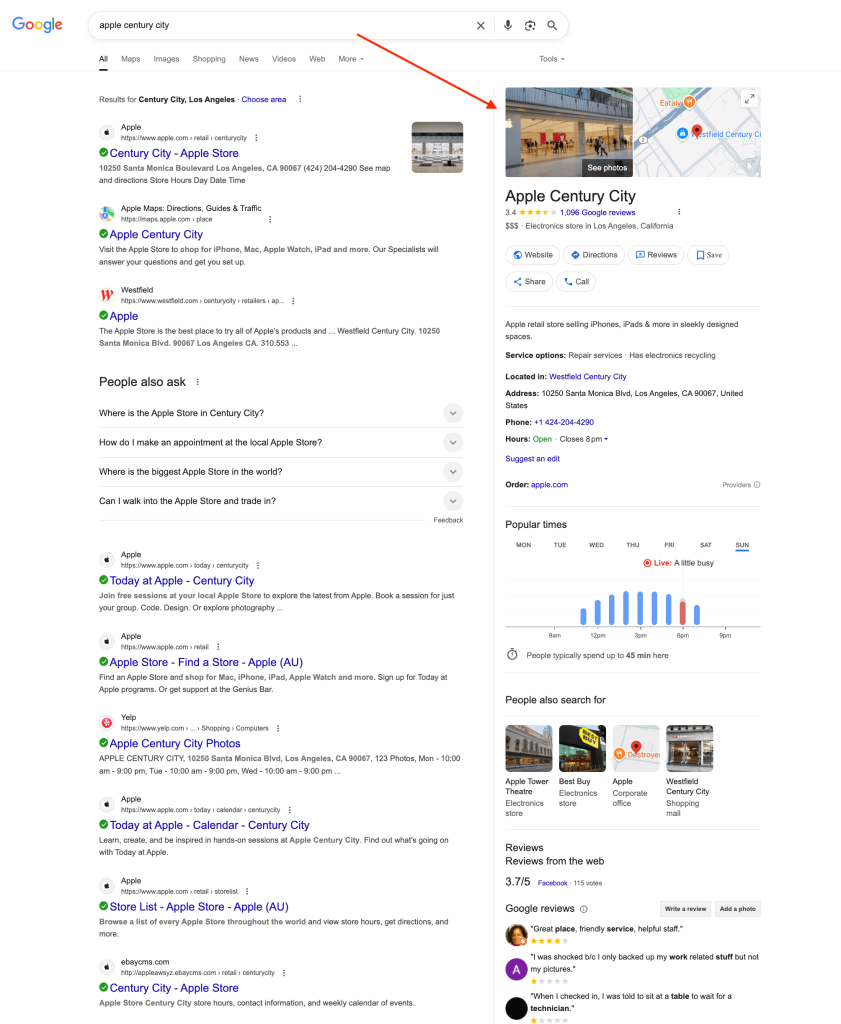
👉 Before you can start getting Google reviews, your Google Business Profile (GBP) needs to be created and verified.
This is the profile that shows up when someone searches for your business on Google or in Google Maps — and it’s where your reviews appear.
✅ GBP already set up and verified?
You can move onto step 2.
⚠️ Not sure if your GBP is ready? Or need to create one from scratch?
We cover everything you need in our guide: How to set up Google reviews.
It includes how to check if you have an existing profile, how to create a brand new one, verify your GBP and get it ready to start collecting reviews.
Once that’s done, your Google Business Profile is ready to start getting reviews and you can move onto step 2.
Step 2: Make it easy to leave a review
👉 If customers have to go searching for where to leave a review, most of them won’t bother.
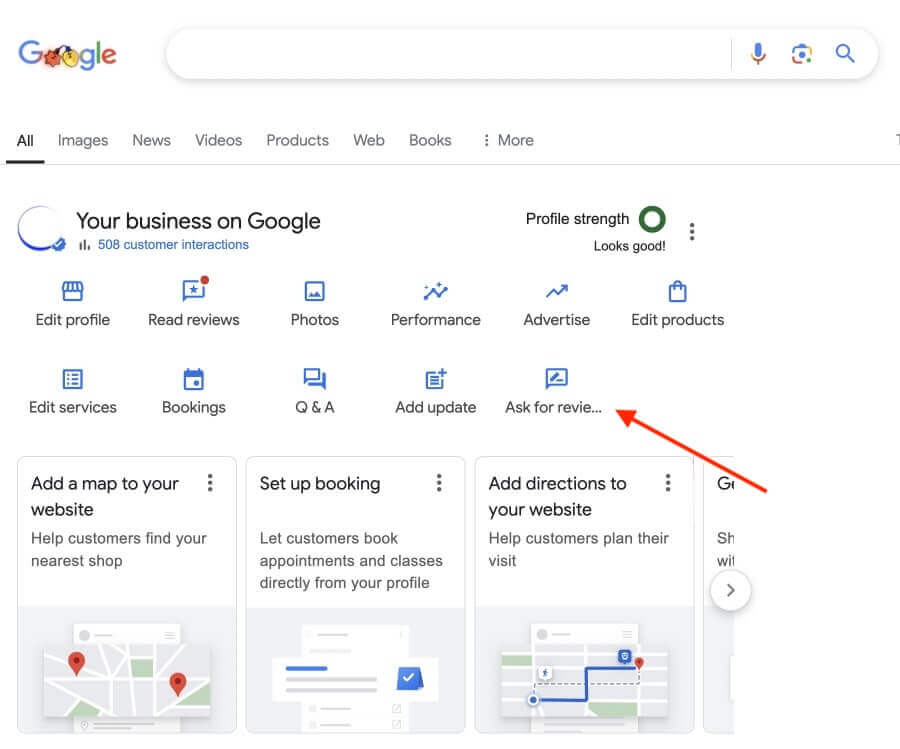
That’s why one of the best ways to increase your Google reviews is to send them a link that takes them straight to your Google Business Profile review form.
✅ Already have your Google review link ready?
Great — you’re ok to continue.
❌ Don’t have a Google review link yet?
We show you exactly where to find your Google review link (and get a QR code too) in our quick guide: How to set up Google reviews.
It only takes a couple of minutes to get the link ready.
Once you’ve got your link, make sure it’s part of your follow-up process with customers.
With your review link, you can:
🔵 Send it by SMS — right after the job/sale is done, or when the product arrives
🔵 Include it in post-service or thank-you emails
🔵 Use it on printed materials like packaging slips or receipts (with a shortened link or QR code)
Step 3: Ask at the right time
Now that you know how to use your review link, the next step is knowing when to ask.
Most people won’t leave a review on their own — even if they had a great experience.
🕒 Timing is one of the biggest things that affects whether customers leave you a review or not.
Try asking:
✅ Right after a job or service is done
✅ After they’ve said something positive
✅ When they’ve had time to use the product and are happy
This way, you’re not interrupting — you’re just following up while the experience is still fresh.

✏️ Tip: Keep your review ask simple and casual.
Use a short message like:
“Thanks again for choosing us! If you’ve got a sec, we’d love a quick Google review — it really helps.”
📌 Want more help with what to say and when to send it?
We cover natural ways to ask for a review (that don’t feel awkward or pushy) in our guide: How to request a Google review from customers.
Step 4: Keep it consistent
Even if you ask in the right way at the right time, doing it consistently is the real challenge.
That’s where most businesses drop off — they start strong for a week or two, then stop asking.
The good news is though: you don’t need heaps of new reviews all the time.
Just a few new reviews each month can steadily grow your profile.
👉 To stay consistent, you’ll need a repeatable system in place, not just good intentions.
That might mean:
✅ Setting a recurring task or reminder for you or your team
✅ Adding a step in your job or sales process to ask/send the review link
✅ Using a tool that automates it all for you (like Trustivo — more on that soon)
Even a small delay after a job or sale can mean missing the moment to ask — so the more automatic your system or way of getting reviews is, the better your results will be.
Step 5: Don’t forget the follow-up
👉 Customers won’t always leave a review the first time you ask — even if they meant to. Life gets busy, they forget or just put it off.
That’s why a polite reminder can make all the difference and a quick follow-up often doubles your chances of getting a review.
To follow-up, you can:
✅ Send a follow-up SMS or email 2–3 days after your first message
✅ Mention it next time you see or speak to the customer
✅ Include a reminder in any aftercare or check-in messages
Keep the tone friendly and low-pressure — something like:
“Hey [Name], just a quick follow-up in case you missed it. If you’ve got a few minutes to leave me a quick Google review, it’d really help. Thanks again!”
Doing all of this manually — sending links, following up, remembering each step — is hard to stay on top of long term.
That’s why having the right system matters. 👀
But before we show you a simpler way, here are a few extra tips that can help improve your results even more.
Bonus tips to help you get better results
Even with a solid process in place, there are a few extra things that can make a big difference and build more trust with future customers.
✅ Respond to your reviews
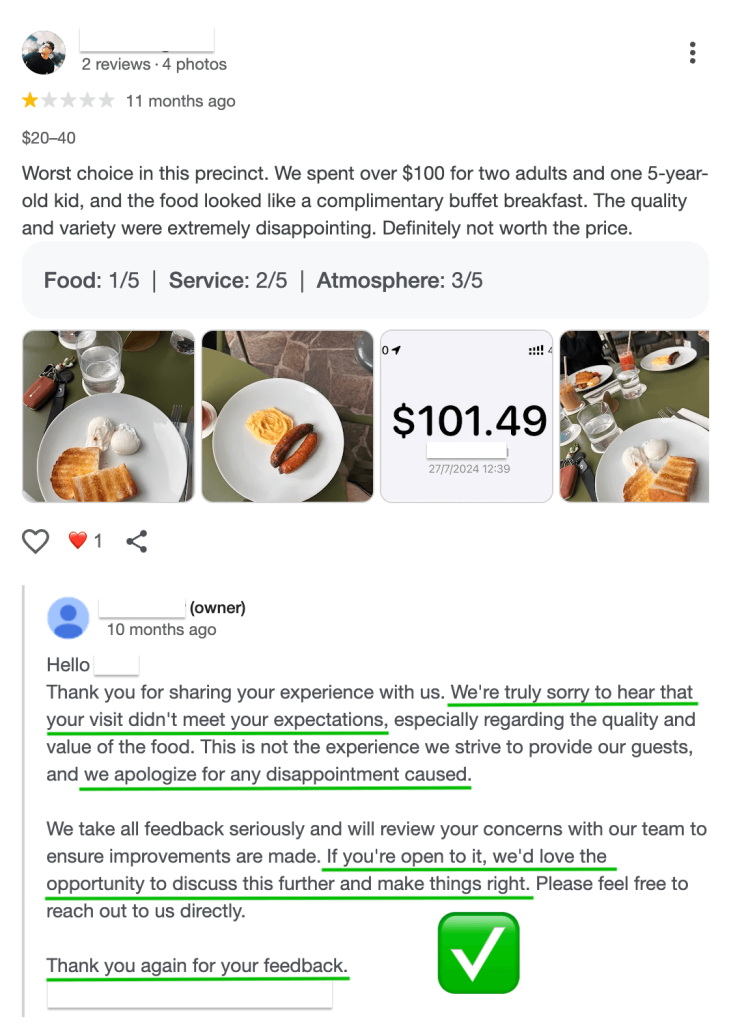
👉 Replying to reviews (both good and bad ones) shows potential customers that you’re engaged, professional and care about feedback.
It also signals to Google that your business is active — which may help with ranking locally in places like Google Maps.
You don’t need to overdo it.
A simple “Thanks so much for your feedback — we really appreciate it!” goes a long way.
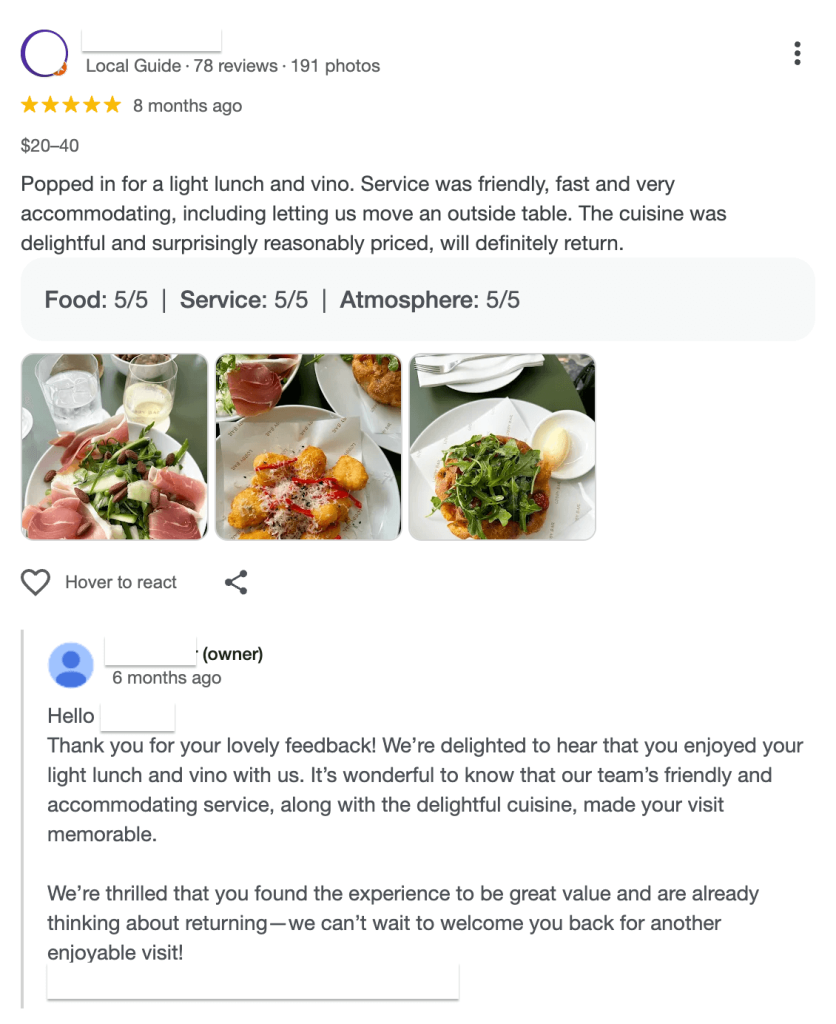
💬 Need help writing replies to your reviews?
Check out our article: How to respond to negative Google reviews — it’s mostly about replying to negative reviews, but it includes helpful advice, tone tips and real examples you can use when replying to any kind of reviews. ✅
🚫 Avoid shortcuts (like fake reviews)
Some business owners still ask the question: can you pay for Google reviews?
Technically, yes — but doing so puts your whole profile at risk.
Buying reviews or getting friends to leave fake ones might seem like a quick win, but Google is cracking down harder than ever.
❌ If your reviews are flagged as inauthentic, they can be removed — or worse, your entire Google Business Profile could be suspended. That means losing all your profile’s progress, trust and reviews you’ve worked on building over time.
💡 What works better
Get a steady stream of genuine reviews from real customers. It’s slower, but safer — and it builds the kind of trust money can’t buy.

Want an easier way to increase your Google reviews?
Following the steps above works — but doing it consistently is what makes the biggest difference.
That’s where Trustivo helps.
Our review software sends review requests automatically ⚙️ to customers after each job or sale, follows up with reminders if there’s no response 📩 and gives unhappy customers the chance to share feedback privately first 👩🏻💻
Prefer to stay hands-on? You can also send review requests out one-by-one when it suits.
With Trustivo running in the background, you won’t have to chase customers for reviews again. 🙅🏼♀️