Scam Warning: Trustivo does not offer jobs via WhatsApp.
👉 Left a Yelp review you regret? You’re not the only one — plenty of people write something in the moment, then later want to change or remove it.
Whether you gave harsh feedback that doesn’t feel fair anymore or simply posted on the wrong business page, learning how to delete your Yelp review is easier than you might think.
Yelp has been around since 2004 and now hosts over 265 million reviews, making it one of the largest and most influential review sites in the world — especially for local businesses and services.
In this guide, we’ll walk you through:
✅ How to delete your Yelp review step-by-step
✅ What happens after it’s gone
✅ How to edit your review instead (if you want to update it, not remove it)
✅ Quick answers to common questions — including how to delete bad reviews on Yelp, why your Yelp reviews may disappear, and whether you can delete a Yelp review at all.
Let’s get into it.
How to delete your Yelp review (step-by-step)
Follow these steps to remove a review you’ve written on Yelp:
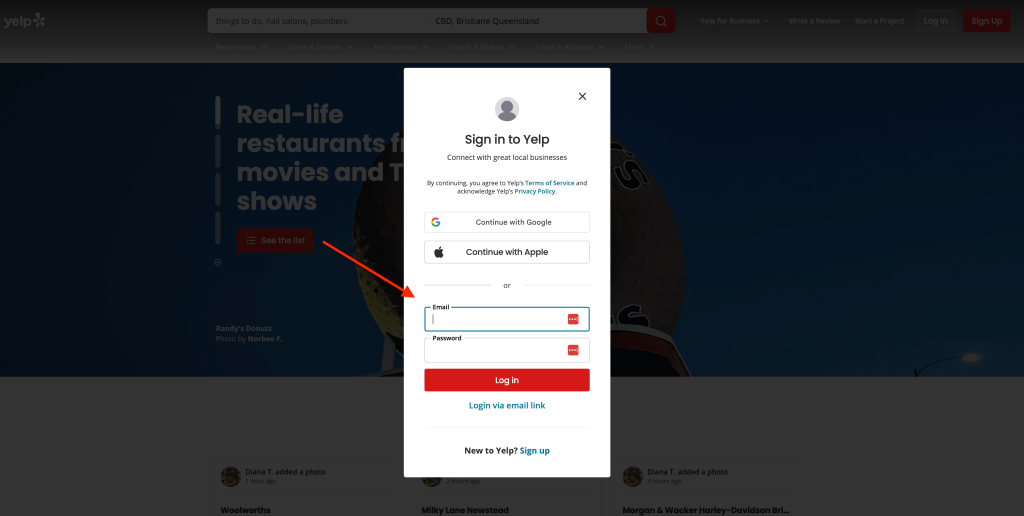
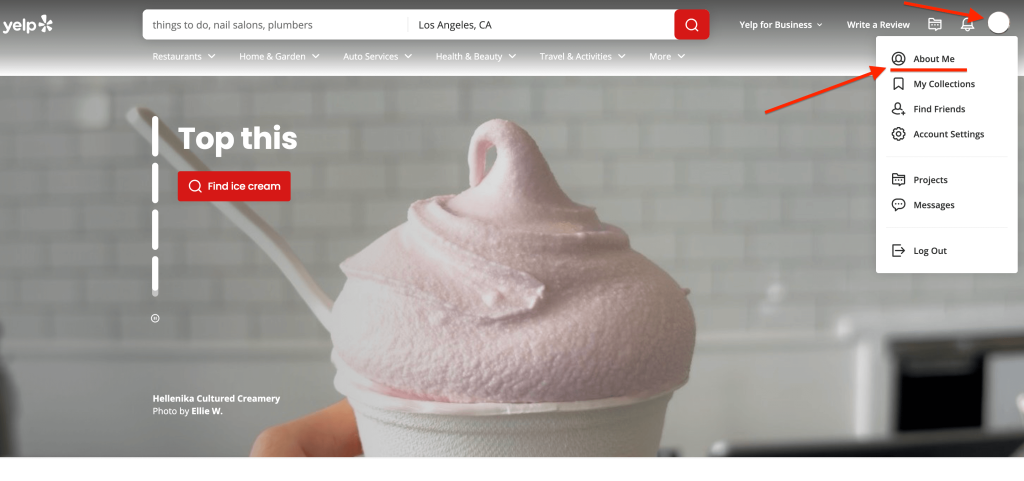
- Log in to your Yelp account. You’ll need to be signed into the same account you used to write the review — either on desktop or the Yelp mobile app.

- Click your profile picture and the “About Me” option from the drop down menu (on desktop).If you’re on mobile, tap the profile icon at the bottom of the screen to go straight to your profile.

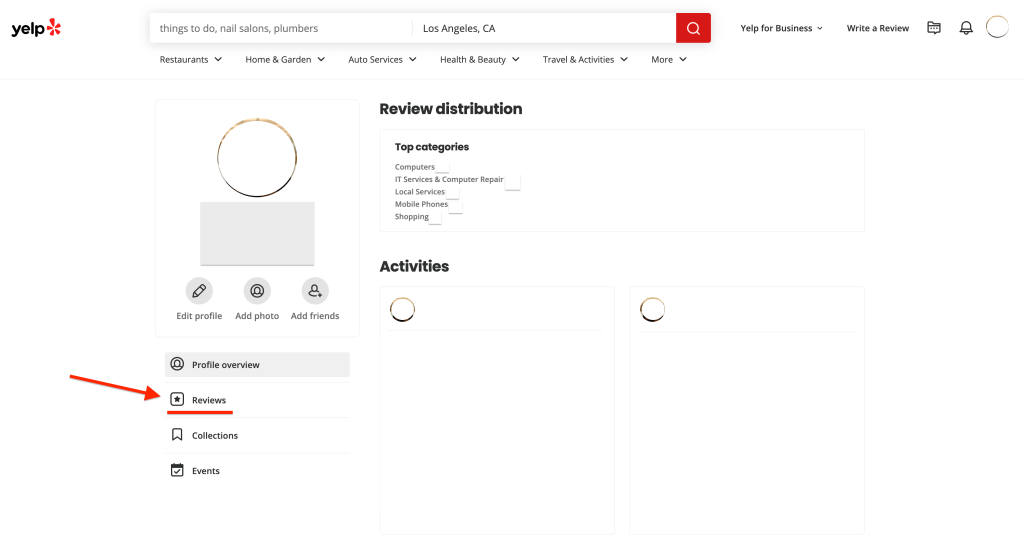
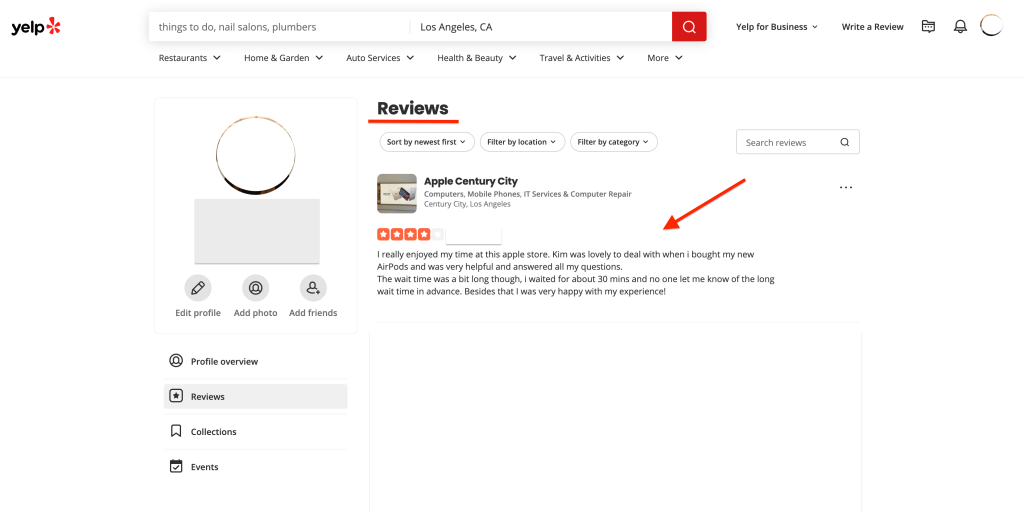
- Click or tap the “Reviews” section. This will then show a list of all the Yelp reviews you’ve written. The most recent ones appear at the top.

- Find the Yelp review you want to delete. You may need to scroll through your reviews to locate it.

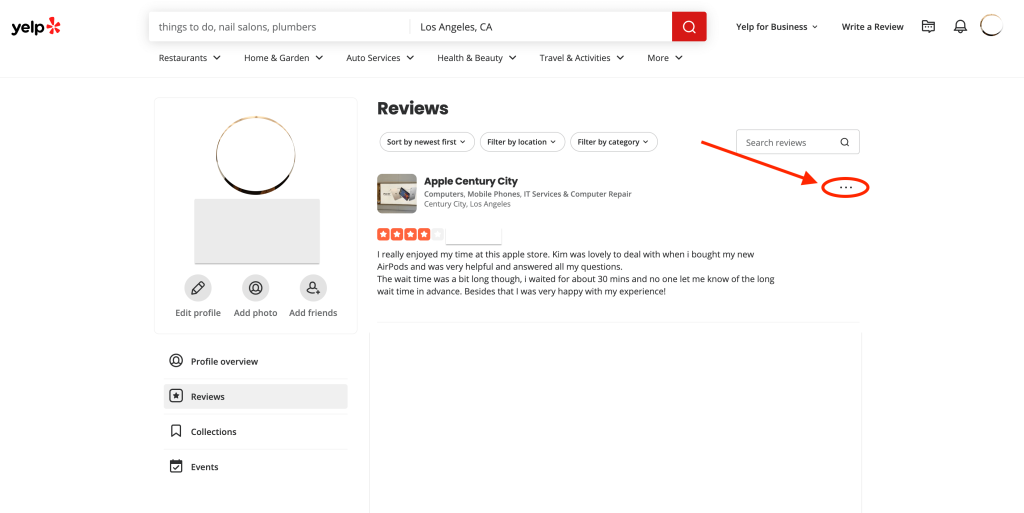
- Once you’ve found the review you want to delete, click the three dots (•••) next to the review.
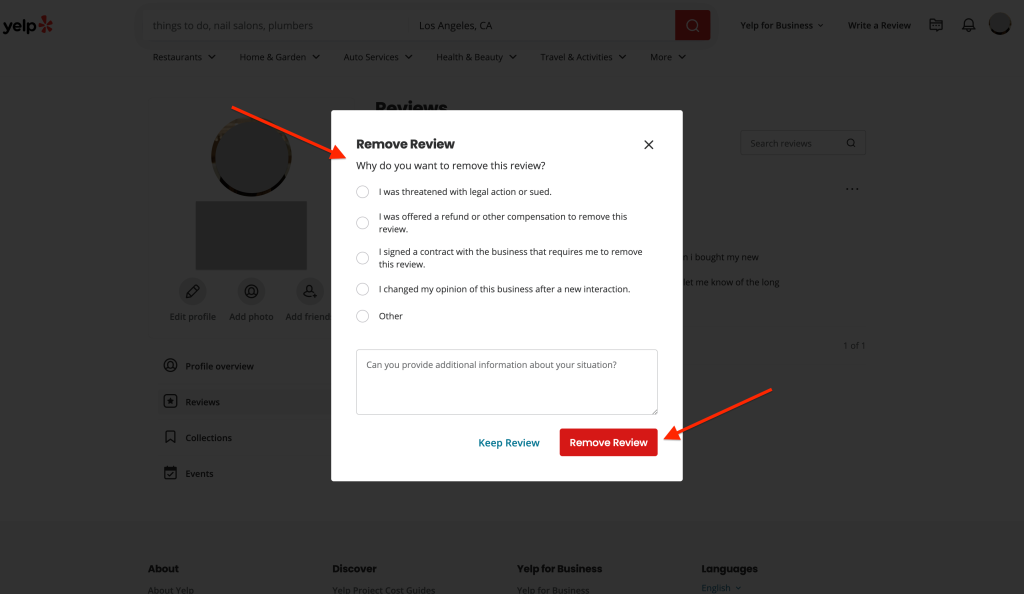
- Select “Remove review” from the drop down menu. Yelp may ask why you’re deleting the review. If so, just give your reason and then click “Remove review” to finish.Once you confirm, your Yelp review will be deleted right away and removed from your profile.

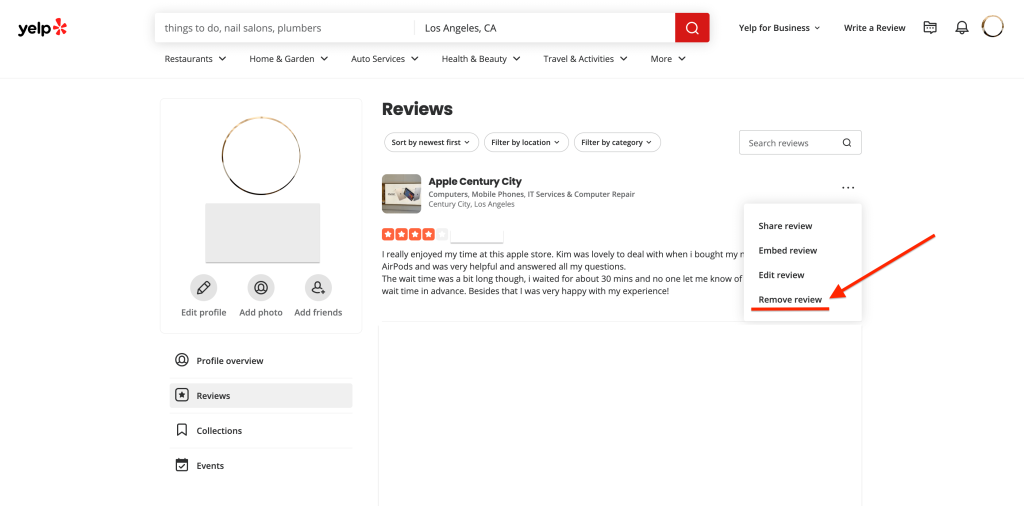
✏️ Want to edit your Yelp review instead?
If you just want to fix a mistake, adjust your tone or update your review — you don’t need to delete the whole review.
👉 Follow the exact same steps as above, but when you click the three dots (•••), choose “Edit review” instead of “Remove review.”
From there, you can rewrite any part of your review, change the star rating, or add new information.
Once you’re done, just hit “Post Review” and your update will go live instantly.
FAQs about deleting Yelp reviews
Can you delete a Yelp review?
Yes, but only if it’s your own.
You’ll need to be logged into the same Yelp account you used to write the review. Once you’re signed in, follow the steps above to remove it.
You can also choose to edit instead if you’d rather update it than delete it entirely.
Why did my Yelp reviews disappear?
Sometimes Yelp hides or removes reviews automatically using their review filter. This can happen even if your review was real.
Common reasons include:
- Your account is new or hasn’t built much activity yet
- Yelp suspects spammy or biased content
- The review doesn’t meet their content guidelines
If a review gets filtered, it won’t show publicly, but it may still appear in your profile under a “not currently recommended” section.
What happens after you delete a Yelp review?
Once you delete a Yelp review, it’s removed from your profile immediately and can’t be recovered.
Yelp won’t notify the business, and your account stays active like normal.
You’re free to leave a new review for that business later, but the original one is permanently gone.
If you’re not 100% sure about deleting a Yelp review, editing might be a safer option than deleting it.